

monthly-update · canvas · voice-huddles · ai-context · search · notifications · desktop-app
Mantle Chat Monthly Update: July 2026
By Mantle Chat Team · Aug 6, 2026 · 14 min read
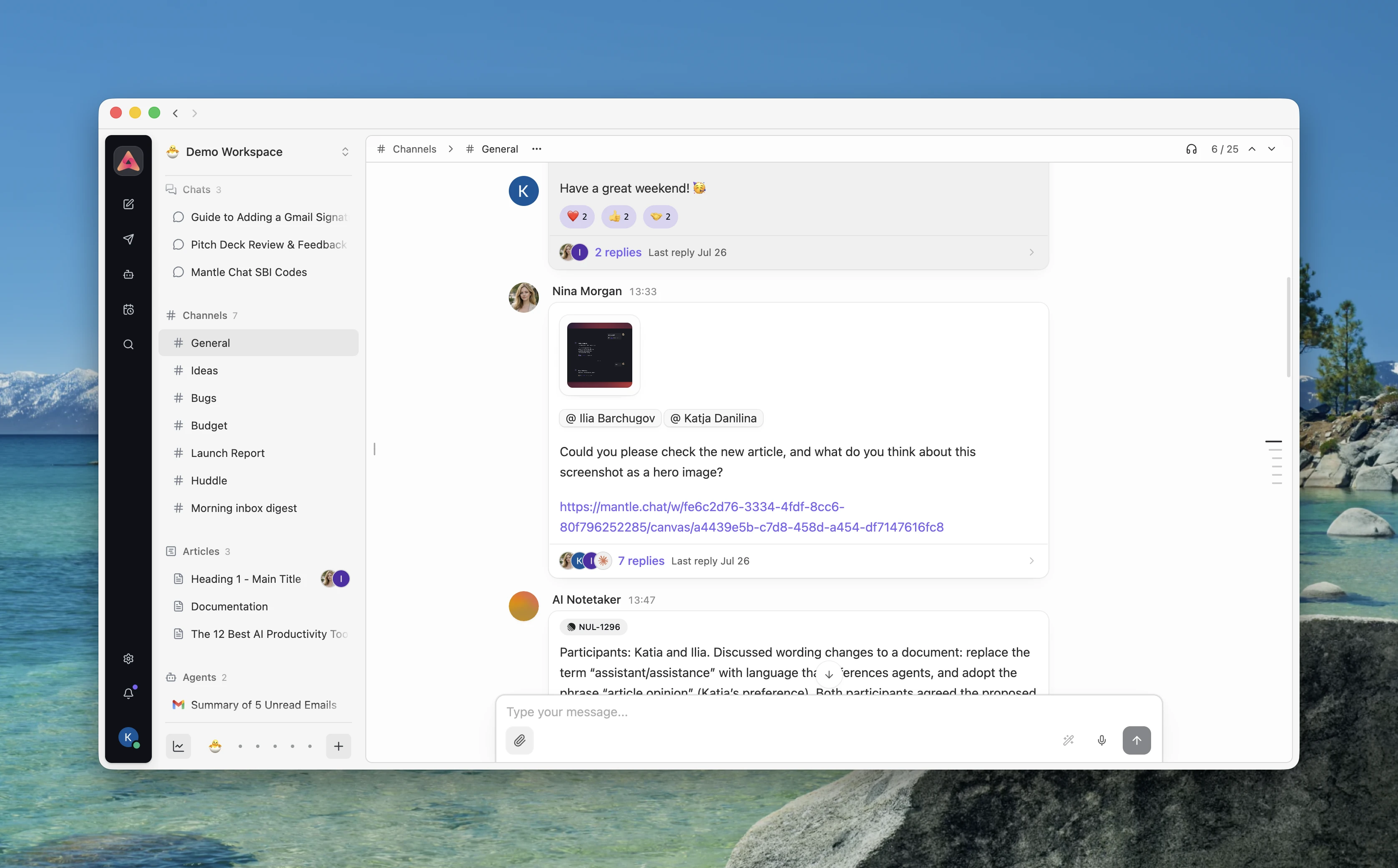
July marked a major milestone for Mantle Chat: Mantle Chat Desktop (Alpha) is now publicly available for Mac. For the first time, anyone can download the signed app for Apple Silicon or Intel and use Mantle Chat as a dedicated macOS experience.
Alongside the Desktop release, we gave teams a new way to turn conversations into shared documents, added audio calls, made search work across both exact words and meaning, introduced RAG-powered Workspace and Agent Context, and rebuilt Notifications around a clearer, more dependable inbox. We are also actively building the Mantle Chat mobile app for iOS, and July moved that upcoming experience closer to release.
This month we:
- Publicly released Mantle Chat Desktop (Alpha) for Mac, where you can bring supported AI subscriptions you already use into Mantle Chat.
- Made Canvas a place where teams can create documents together: turn a message into a shared document, edit it with teammates, restore earlier versions, find it through search, use selected Canvases as AI context, or publish a read-only link.
- Added Huddles audio calls to channels and direct messages, with an optional AI Notetaker for structured recaps.
- Introduced hybrid search and RAG-powered context, combining keyword and fuzzy matching with semantic search, Workspace Context, Agent Context, and selected Canvas content.
- Rebuilt Notifications around a clearer inbox, with dependable unread counts, followed threads, grouped reactions, missed audio calls, cross-workspace context, and more control over alerts.
- Improved performance, security, and reliability across long conversations, realtime sync, integrations, automations, billing, and the app foundation.
Let's walk through it.
Mantle Chat Desktop (Alpha) Is Now Public on Mac
The defining milestone of July was the public release of Mantle Chat Desktop (Alpha). What began as an internal Mac experiment is now available for anyone to download and try.
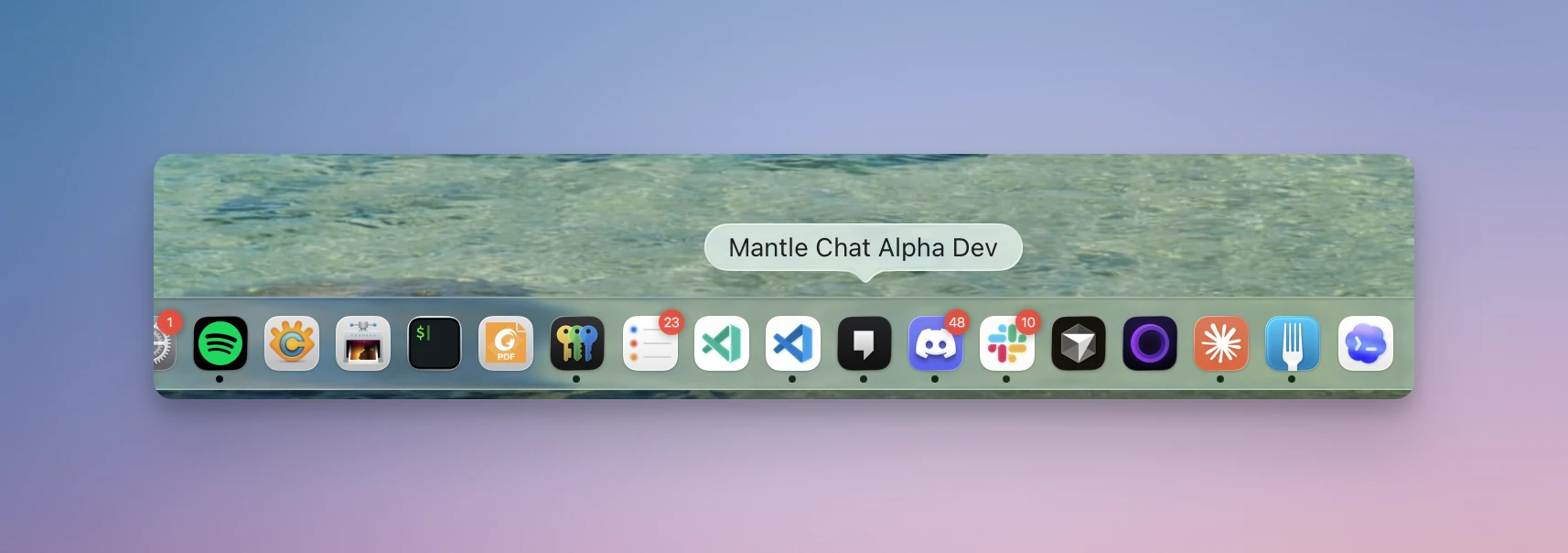
The new Mantle Chat downloads page detects your platform and offers signed Mac builds for both Apple Silicon and Intel. Windows, Linux, and iOS are still on the way, and the browser experience remains available on every platform in the meantime. You can also reach Downloads from Mantle Chat's public navigation, footer, and in-product entry points.
Bring Your Own Subscriptions
One of the biggest reasons to use Mantle Chat Desktop is Bring your own subscriptions. If you already use ChatGPT, Cursor, or OpenCode, you can connect supported access through the Mac app and use available models inside Mantle Chat.
This means you can use AI access you already have without moving your work into a separate chat window. Ask from Mantle Chat, keep the answer with the rest of the conversation, and share the result with your team in the same workspace.
What this gives you:
- Use subscriptions you already value: Bring supported ChatGPT, Cursor, and OpenCode access into Mantle Chat Desktop.
- Keep work in context: Responses stay with the chat, channel, or thread where your team is already working.
- Choose the right model for the task: Use available models from your connected providers without leaving Mantle Chat.
- Turn individual AI access into shared work: Keep useful results visible to teammates instead of isolated in a personal tool.
This is still an Alpha, and we are calling it that deliberately. We are continuing to refine the experience, and making it public means more people can now use it in daily work and help shape what comes next.
Download Mantle Chat Desktop (Alpha) for Mac →
Canvas Turns Conversations Into Collaborative Work
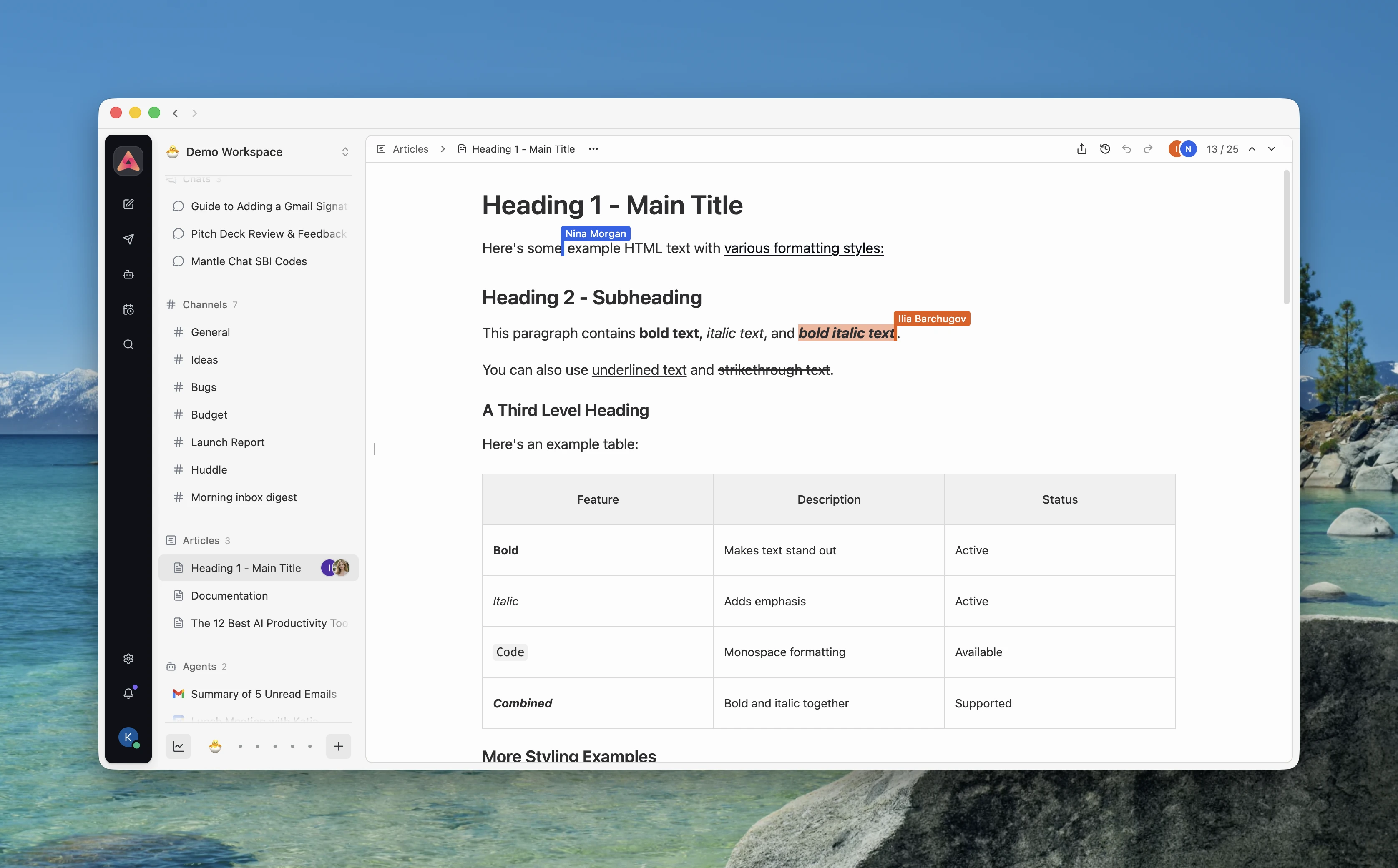
Canvas is a shared document inside Mantle Chat. It gives your team a place to turn a conversation into something you can keep shaping together: meeting notes, a project brief, a plan, a draft, a decision record, or any other document that should live beside the discussion that created it.
A Canvas lives alongside chats and channels, so you can organize it in a folder, pin it, rename it, move it, or archive it just like the rest of your workspace. Teammates can write in the same Canvas at the same time, see who else is there, mention one another, and add formatted text, links, tables, images, and headings.
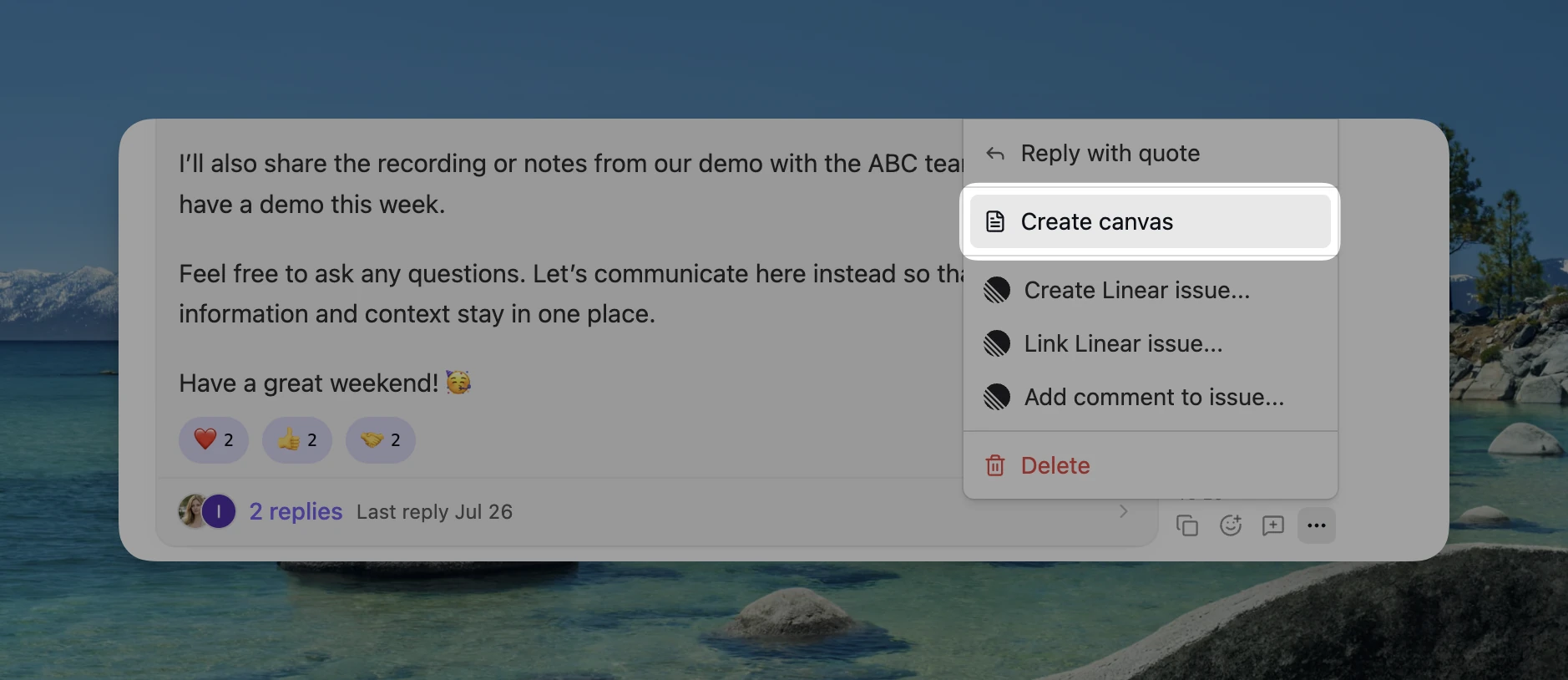
We also made it easy to start from work that already exists. Eligible chat, channel, and thread messages now include a Create canvas action, turning the message into an editable document instead of making you copy, paste, and rebuild it manually.
What this means for you:
- Turn a message into a document: Start a Canvas from a useful chat, channel, or thread message instead of copying everything into a separate tool.
- Write with your team: Edit together in realtime, mention teammates, and keep the document beside the conversation that shaped it.
- Go back to an earlier version: Use automatic or named versions when you want to review old work or restore a safer starting point.
- Find the document later: Search Canvas content by exact words or by meaning from the command center.
- Let Mantle's AI use the right Canvas: Workspace managers can intentionally add selected Canvases to Workspace Context. A searchable Canvas is never used as AI context automatically.
- Share a view-only page: Publish a read-only link for people who need the result without giving them access to your workspace or editor.
Public Canvas pages work on different screen sizes, support dark mode and printing, and do not expose the workspace behind the document. If you archive the Canvas or move it to another workspace, Mantle revokes the old public link automatically.
Huddles Bring Audio Calls Into the Workspace
Huddles are Mantle Chat's new audio calls. Channel members can start a group audio call from the channel header, while teammates in a direct message can ring one another for a focused one-to-one call.
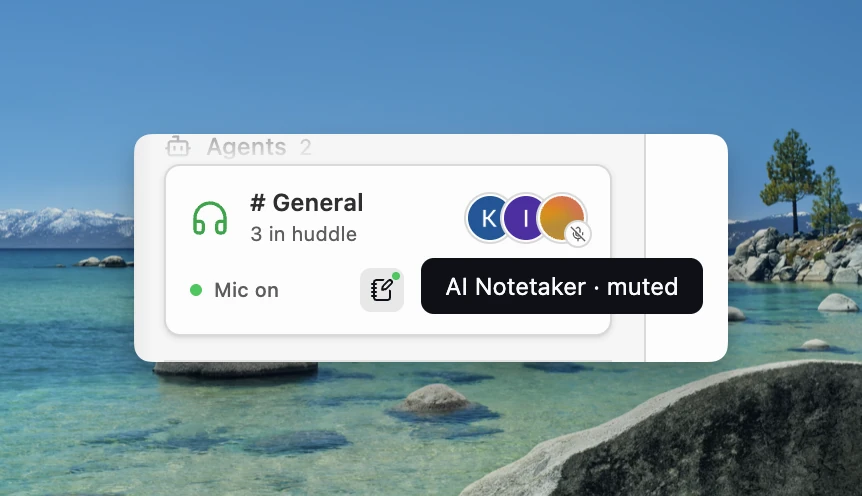
The call experience stays compact: a docked panel shows who is present and speaking, while mute and leave controls remain close at hand. We added participant avatars, clearer incoming-call presentation, ringing, reconnect handling, and the microphone permissions required for the packaged desktop app.
For audio calls that need a written record, a Huddle can use an optional, consent-gated AI Notetaker.
The AI Notetaker can:
- Follow the live conversation without recording it: Audio stays in the voice session rather than becoming a stored recording.
- Handle multilingual calls: Transcription and the resulting recap follow the predominant language of the conversation.
- Create structured recaps: Summaries can capture the discussion, decisions, and action items.
- Run more than once: Teams can start a new notes session later in the same Huddle when the conversation moves into a new phase.
- Require active participation and consent: Notes can only begin from inside the live Huddle and are built to recover safely if generation is interrupted.
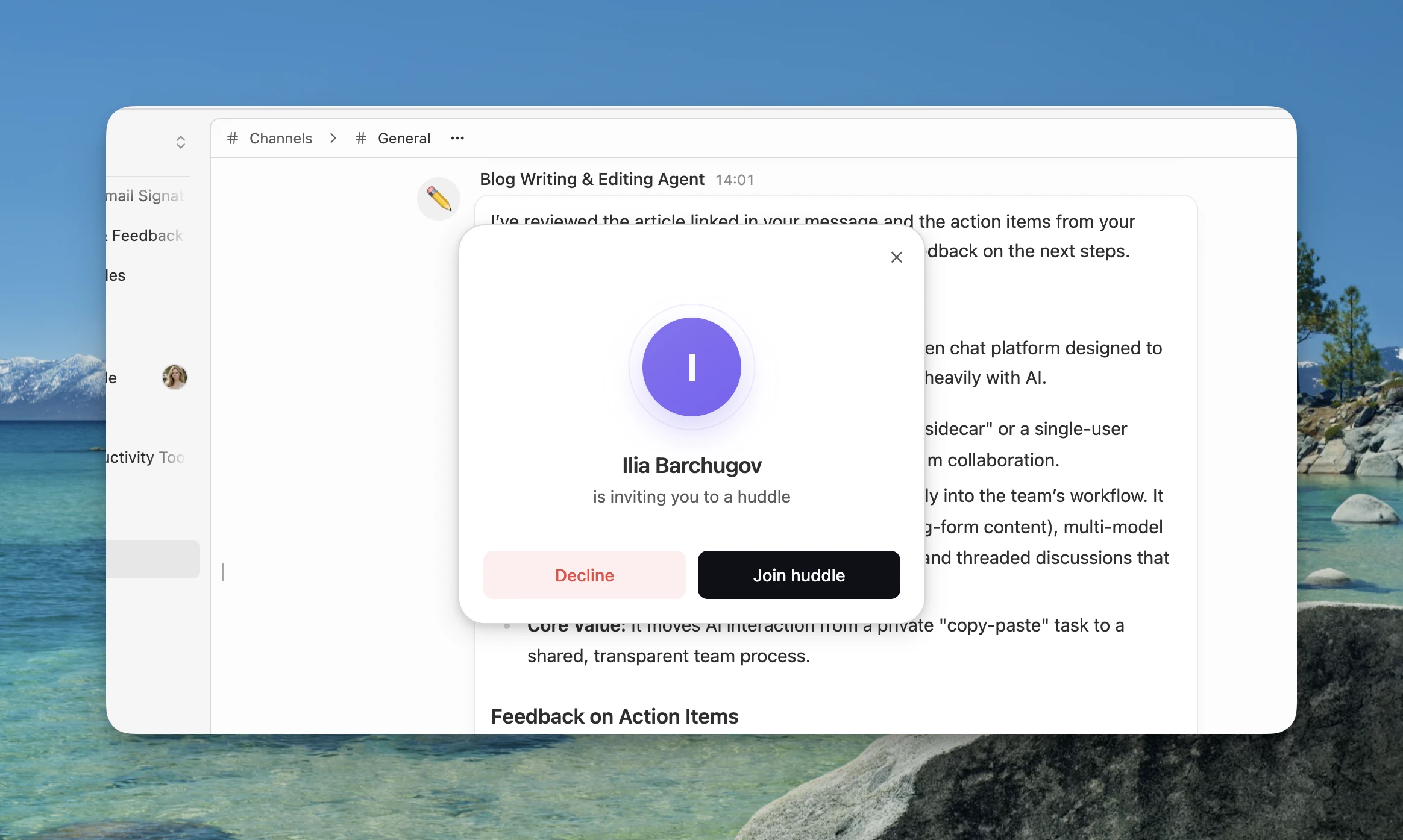
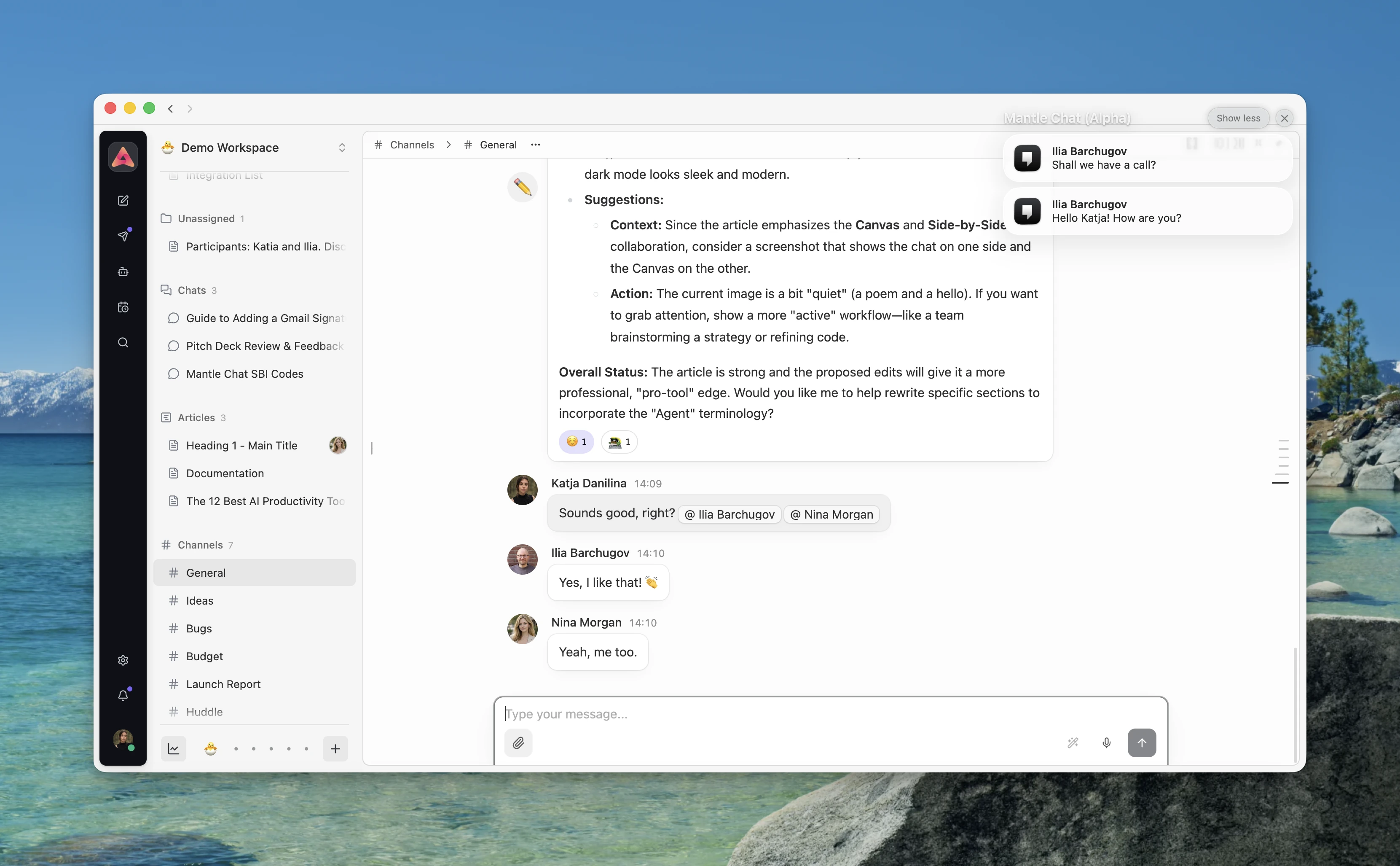
Incoming audio calls now reach people more naturally across surfaces. The web experience has a focused in-product presentation, the upcoming iOS app supports short-lived call delivery, and Mantle Chat Desktop can show a compact always-on-top incoming-call window with Join and Decline actions. If that window cannot open, the app falls back to a native notification instead of showing duplicates.
Search Became a Real Command Center
Search used to depend too much on what the browser had already loaded. In July we replaced that approach with a server-backed command center that brings together navigation, actions, people, workspaces, messages, and Canvases.
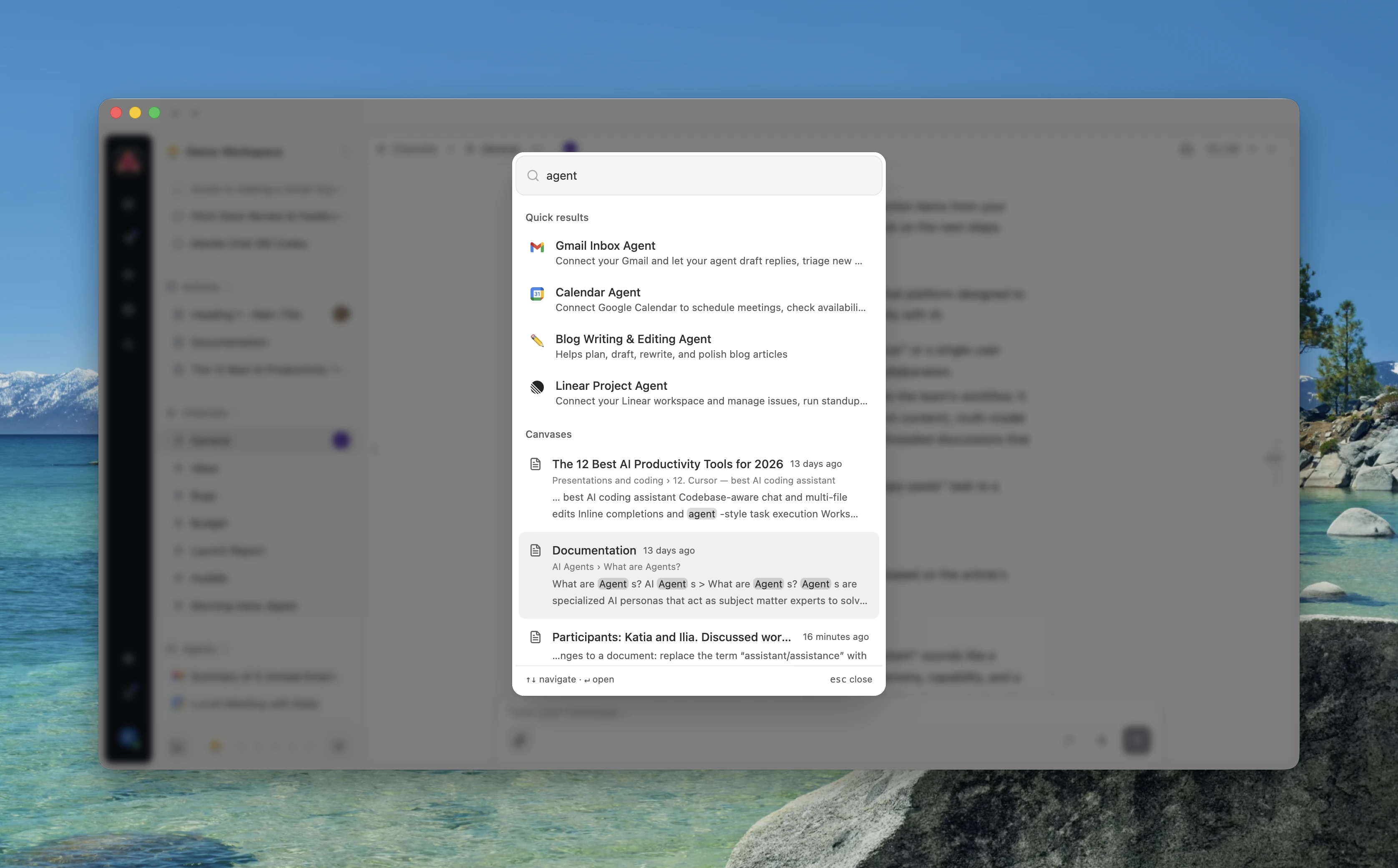
That means you can search for the exact project code you remember or describe the idea you are looking for when you do not remember the original wording.
Search only returns content you are allowed to see, and private message text, filenames, and search queries are kept out of analytics.
Smarter Context With RAG
Workspace Context and Agent Context now use RAG, which helps Mantle find the most relevant information from the files you choose before answering a question.
You can add PDFs, Word documents, spreadsheets, CSV files, Markdown, JSON, and selected Canvases. Mantle uses the parts that matter for the current question and links the answer back to its source.
Workspace Context gives the whole workspace shared knowledge. Agent Context lets you give a specific agent the files it needs for its role, without mixing those files into every other agent.
Your source files remain encrypted at rest. If context is unavailable, the conversation still works normally without it.
We also improved web-search citations, so source links remain attached to AI answers in chats, channels, and threads.
Notifications Are Clearer and More Dependable
In July we rebuilt Notifications to make them more useful, with more dependable delivery, clearer unread counts, better cross-workspace context, and more control over which alerts make noise.
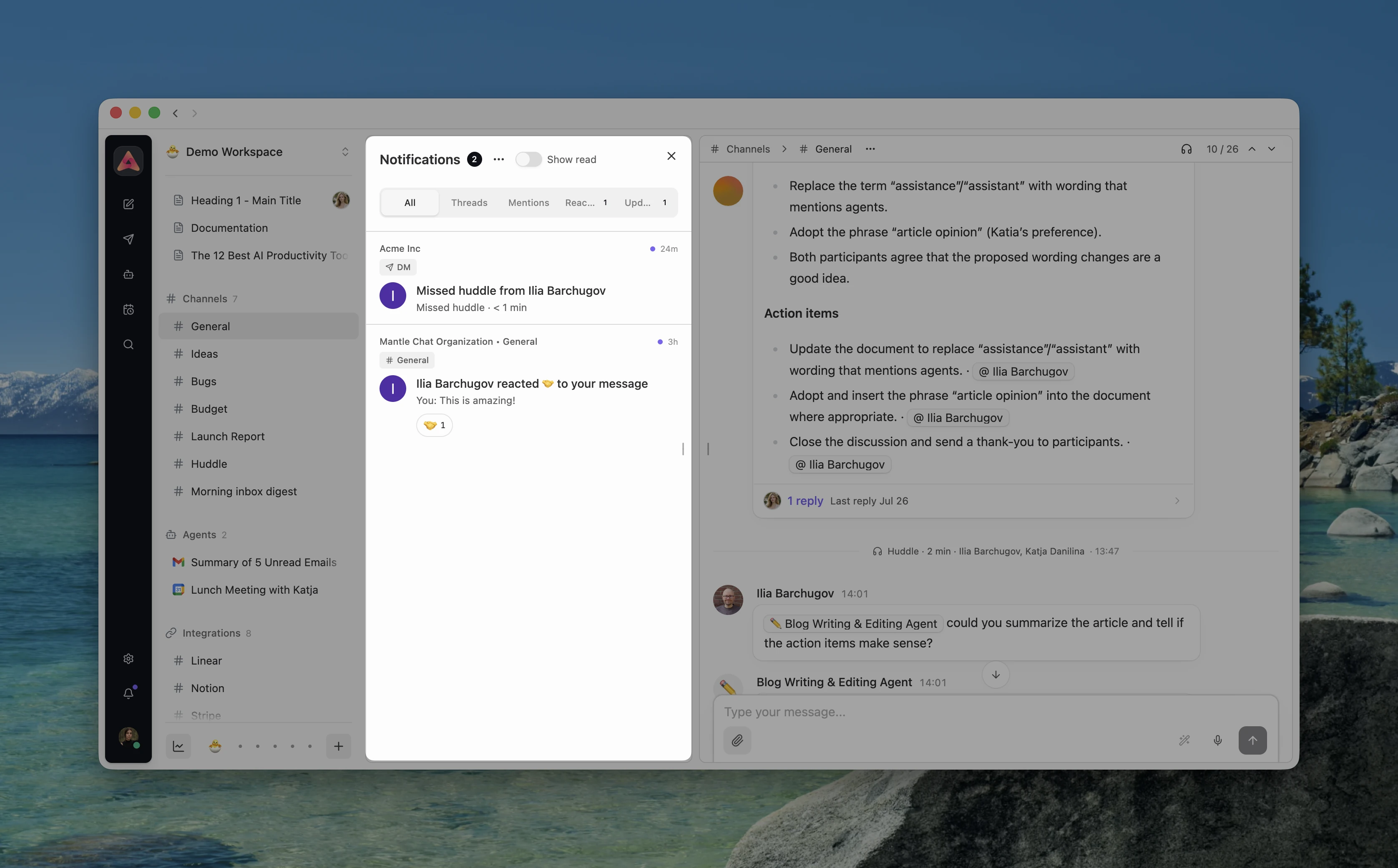
The Activity view is the inbox inside Notifications. It now brings followed thread replies, mentions, reactions, integration updates, Canvas notifications, and missed audio calls into one account-wide history. Focused All, Threads, Mentions, Reactions, and Updates filters make that history easier to scan, while category counts explain exactly where unread notifications are waiting.
Clicking a notification moves to the correct organization and workspace, opens the exact conversation or Canvas, and jumps directly to the relevant message or reply. Mantle marks it read only after the destination opens successfully. Deleted or inaccessible destinations show clear feedback instead of silently disappearing.
Other notification improvements:
- Followed threads: Authors, repliers, and valid mention recipients can follow subsequent replies, with explicit Follow, Unfollow, and Mute controls.
- Realtime reactions: Reaction state updates across open clients, while grouped Activity lets message authors see who reacted without creating a noisy alert for every change.
- Missed audio calls: A genuinely missed direct-message Huddle can appear in Notifications without generating a second round of sounds or push alerts.
- Notification preferences: Inbox inclusion, alerts, sound, and banners are now separate choices, so a quieter setup does not have to give up notification history.
- Cross-workspace context: Browser and native notifications can show which organization or workspace an event came from.
- Richer iOS pushes: Direct messages can include a privacy-aware snippet, while mentions and Huddle rings carry the destination needed to open the right place.
- Dependable delivery and unread recovery: Notifications and counts repair after reconnects, foreground changes, and missed realtime events instead of depending on whether someone appeared online at the exact moment an event happened.
We also improved the realtime connection window itself. Events sent immediately after a client connected could previously arrive before authentication finished and be dropped. They are now held until the connection is ready, making presence, typing, workspace changes, and task updates more dependable after a refresh or app launch.
The Everyday Experience Got Better Too
July's larger launches came with dozens of smaller improvements that make Mantle Chat easier to live in every day.
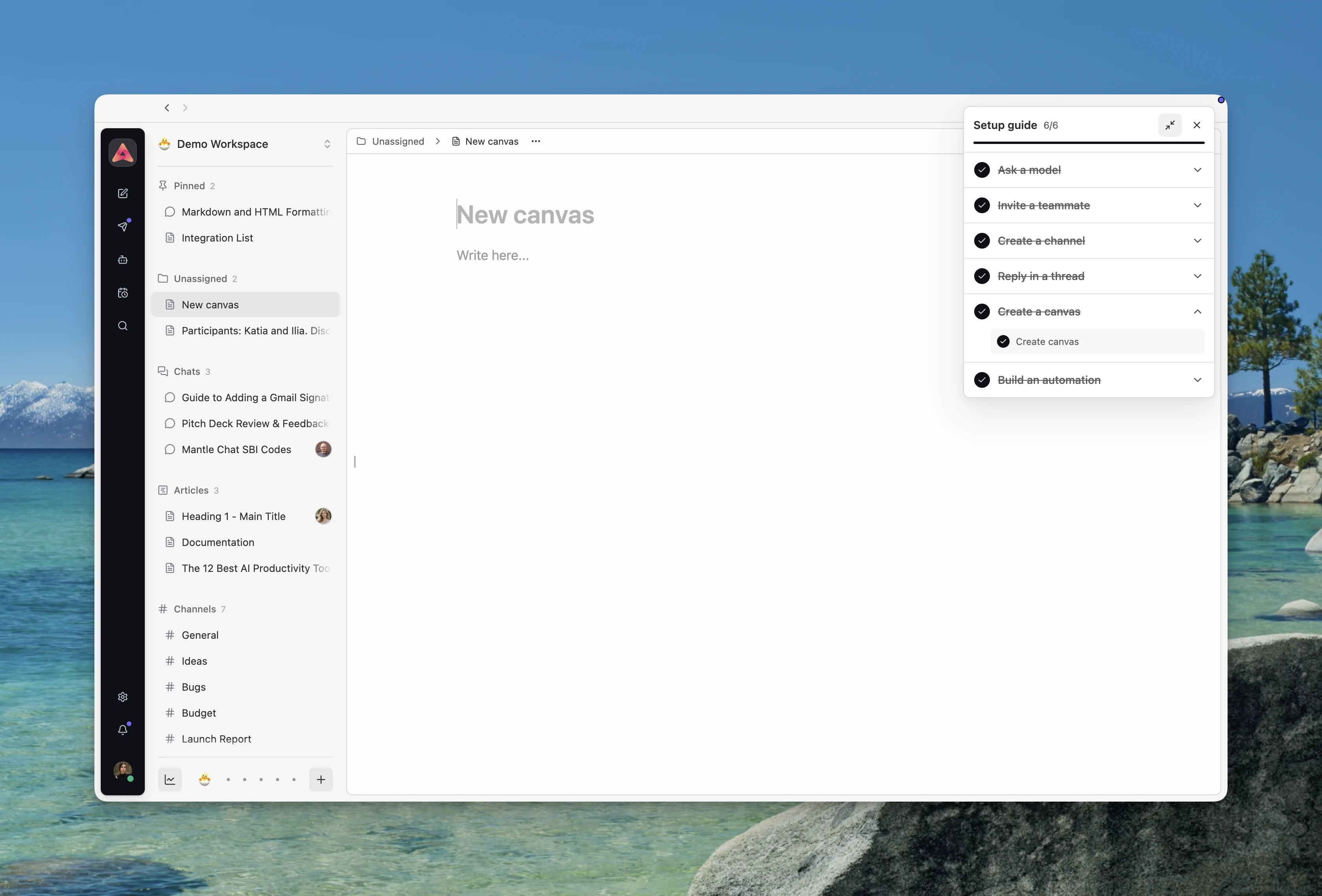
- A setup guide for new users: A compact floating checklist helps new accounts ask a model, invite a teammate, create a channel, reply in a thread, and build an automation. Progress follows the person doing the work and can be reopened from Preferences.
- Clearer organization and workspace access: Organization members can be added directly to the right workspaces, public and private visibility is easier to understand, and the workspace directory does a better job of showing where you already belong.
- Dual-sided workbench panels: Larger screens can keep navigation and management flows on the left while threads stay open on the right. Both sides are independently resizable, while smaller screens keep the familiar sheet experience.
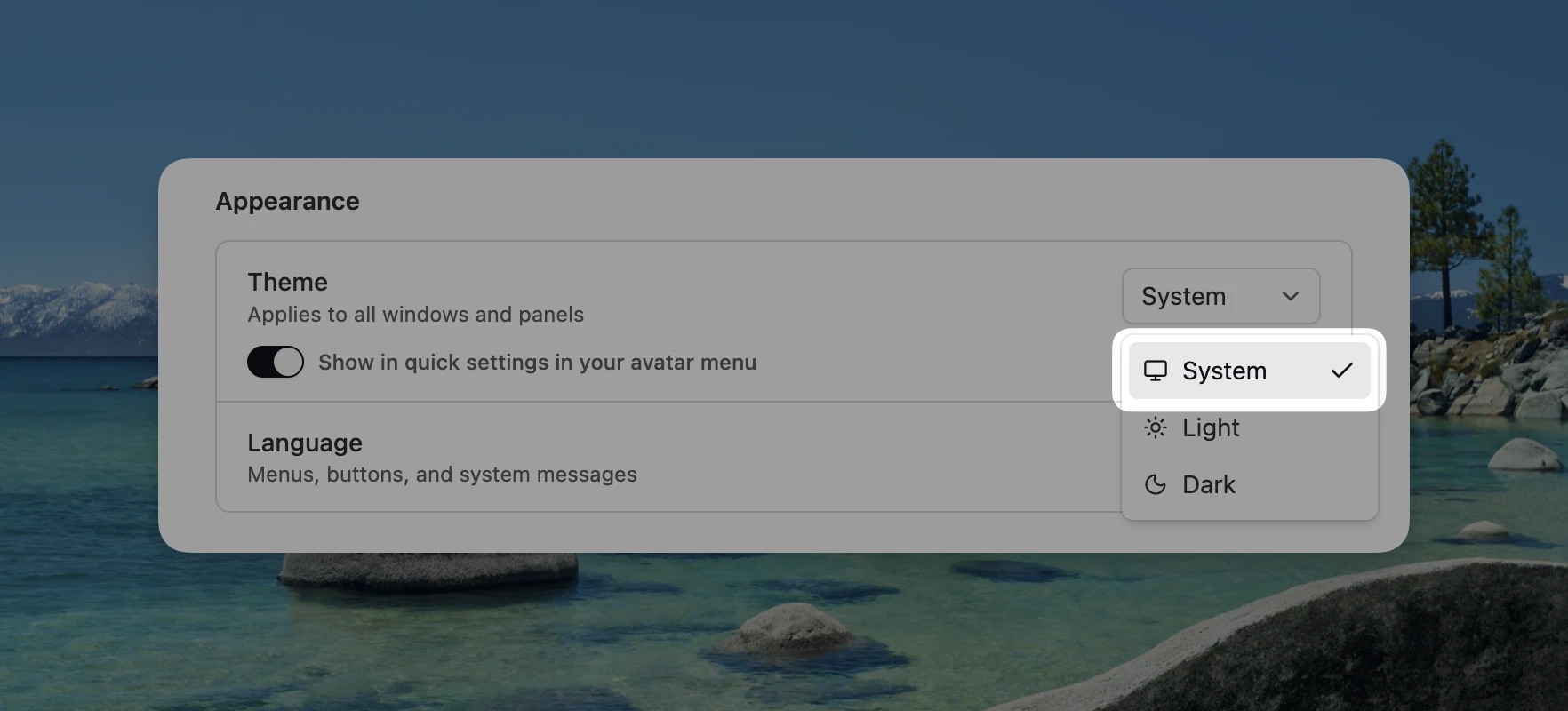
- A System theme: Mantle Chat can follow your operating system automatically, alongside explicit Light and Dark choices.
- Better empty states: New channels and direct-message views now explain what to do next instead of leaving a bare, uncertain screen.
- Consistent integration messages: Linear, Notion, and Stripe updates now share the same message structure, spacing, reactions, threads, and actions as the rest of a conversation.
- Cleaner AI response lifecycles: Reasoning sections keep their boundaries, web sources remain attached, and commentary, progress, tool activity, and final answers survive streaming and reloads in the right order.
Faster Histories and Safer Foundations
Long-running workspaces should not become slower simply because they are valuable. July added scroll-to-top history loading across chats, channels, direct messages, and threads, with stable scroll position while older messages arrive. We also made message and workspace pagination tie-safe so items are not skipped or duplicated when they share the same timestamp.
Cached workspace data now appears sooner after a refresh, then verifies itself against the live workspace. If the local cache is incomplete, Mantle repairs only the affected workspace instead of leaving a partial sidebar or clearing unrelated data. AI streaming commits are grouped more efficiently too, reducing unnecessary UI work while keeping final text and tool events in order.
We also completed several important safety and reliability improvements:
- Safer automations and integrations: Task permissions and output targets are rechecked before execution, while missing or disconnected credentials pause dependent tasks with a visible reason.
- Encrypted durable delivery data: Webhook payloads and task inputs and outputs are protected at rest, with safe retry and replay behavior.
- Authorized mentions: Mention recipients are verified on the server before Activity, realtime, email, or push delivery begins.
- More dependable scheduled work: Production task delivery and webhook retry handling were repaired so overdue or malformed runs cannot quietly block future work.
- Cleaner account and billing recovery: New registered users reliably receive their Free plan, and returning from the Stripe portal preserves the correct organization billing page.
- A modernized application foundation: We upgraded the Angular, Nx, Spartan UI, and Tailwind foundation while preserving the product behavior people rely on.
Much of this work is intentionally invisible. The goal is not to make you think about caches, delivery queues, or release pipelines. It is to make the visible product feel immediate and trustworthy as your workspace grows.
Mantle Chat for iOS Is on the Way
We are actively building the Mantle Chat mobile app for iOS. The upcoming app is focused on bringing the parts of Mantle Chat you need away from your desk to iPhone: conversations, direct messages, notifications, deep links to the right workspace, audio-call alerts, and access to shared work such as Canvases.
July's work strengthened the notification and content foundations the mobile app depends on. The iOS app is not publicly available yet, but it is in active development, and we will share more as we get closer to release.
What July Sets Up
July changed the shape of Mantle Chat. It is no longer only a place where a team talks with AI. It is becoming a place where conversations turn into shared documents, audio calls turn into useful recaps, RAG brings trusted context into answers, and notifications help people return to exactly the right moment.
It also gave us a stronger multi-surface foundation. The web app, publicly available Desktop Alpha, and upcoming iOS mobile app now share more of the same expectations around search, notifications, unread state, deep links, and realtime collaboration.
We'll keep refining Canvas and Huddles audio calls, widening the Desktop Alpha experience, building toward the iOS release, and making RAG-powered context and automation more useful without making the product noisier or harder to trust.
Thank You
Thank you to everyone testing new workflows, reporting the moments that feel slow or confusing, and pushing us to connect the last ten percent of every feature. July's work came from both big ideas and very specific observations: a missed notification, a link that opened too slowly, a Mac window that forgot its place, or a useful message that deserved to become a document.
Keep sending those details. They shape the product.
Connect With Us
Have questions or feedback? We'd love to hear from you:
- LinkedIn: linkedin.com/company/mantlechat
- Product Hunt: producthunt.com/products/mantle
- Peerlist: peerlist.io/katja/project/mantle-chat
- X/Twitter: x.com/mantlechat
- Instagram: instagram.com/mantle.chat
- YouTube: youtube.com/@mantlechat
- Discord: discord.gg/STzq94kdDC
Let's build the future of AI collaboration together. 🚀
— The Mantle Chat Team