

monthly-update · notifications · integrations · mcp · agents · free-tier · rich-text-editor
Mantle Chat Monthly Update: January 2026
By Mantle Chat Team · Feb 4, 2026 · 14 min read
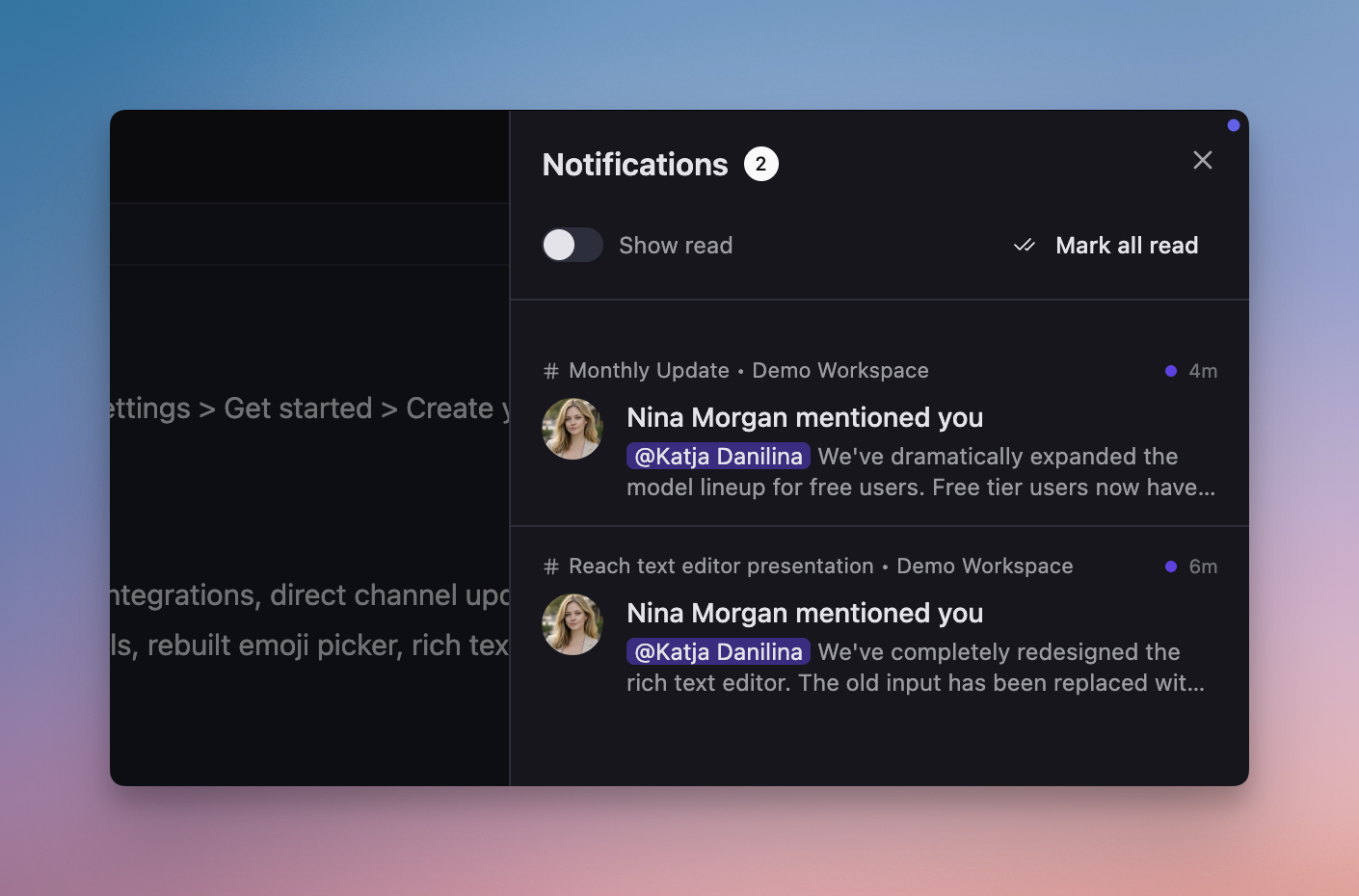
January 2026 has been all about communication and connectivity. We shipped @mention notifications, introduced MCP server integrations so AI can talk to your tools, launched AI Agents (formerly AI Assistants), expanded the free tier to 10 AI models, and delivered a brand new rich text editor.
Let's dive into everything that's new!
@Mention Notifications: Never Miss a Message
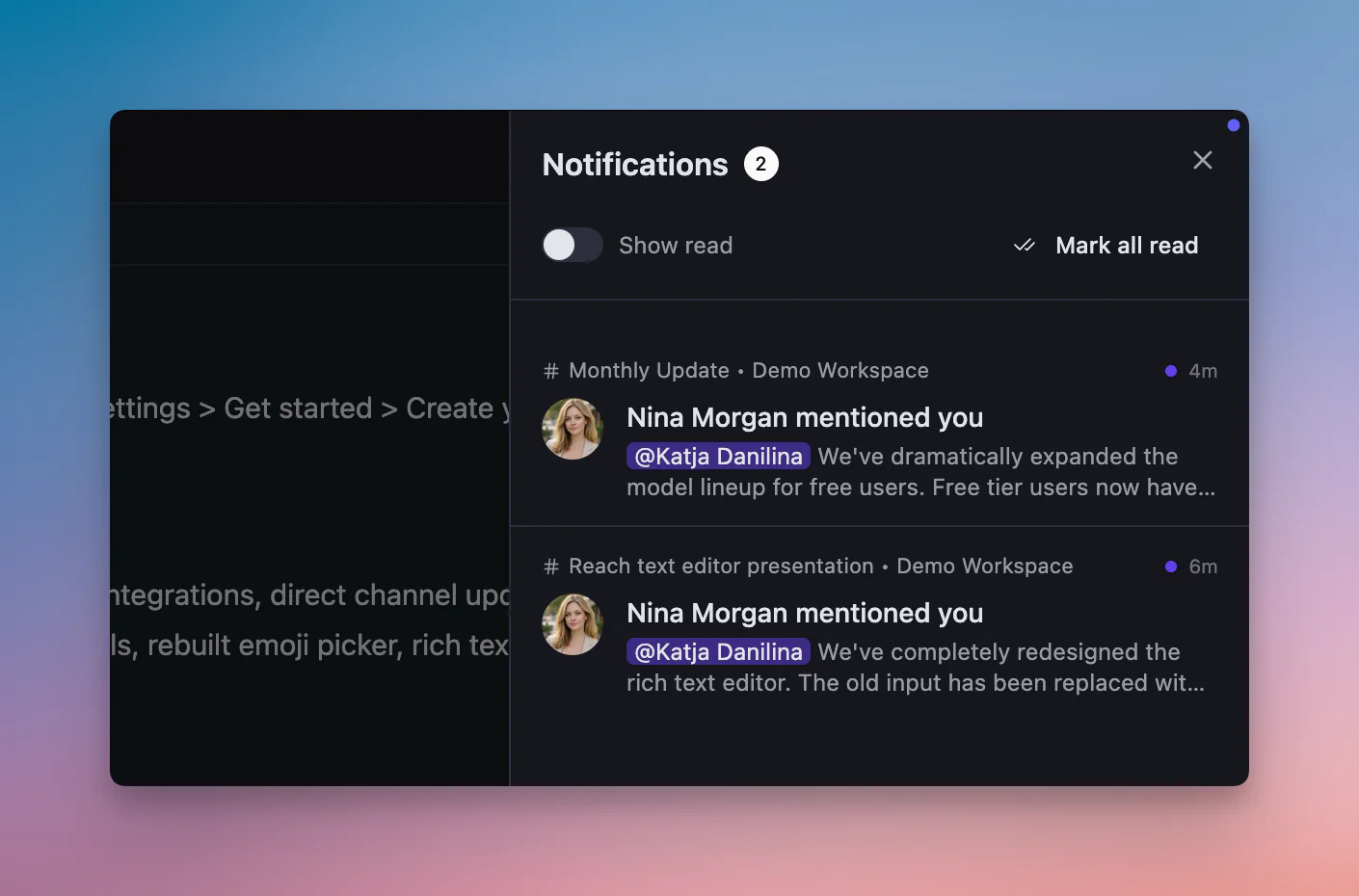
One of the most important features of the month is here — a complete notification system for @mentions in channels. When someone mentions you, you'll know about it instantly.
How It Works
- 🔔 Bell icon in header: Shows your unread notification count
- 📨 Notification panel: Click to see all your @mentions in one place
- 🎯 Click to navigate: Click any notification to jump directly to that message
Smart Features
What makes our notification system special:
- ♾️ Infinite scroll: Smoothly load more notifications as you scroll
- ⌨️ Keyboard shortcut: Press
Cmd+Shift+M(orCtrl+Shift+Mon Windows) to toggle the panel - 🌐 Cross-workspace: Receive notifications from all your workspaces in one unified view
Real-Time Updates
The notification system updates without page refresh:
- 📡 Instant delivery: New mentions appear immediately
- 🧹 Smart cleanup: When someone deletes a channel or message, related notifications are automatically removed
- 📖 Auto mark as read: Scroll past a message and its notification is marked as read
Clean Notification Text
Notifications strip markdown formatting so you see clean, readable snippets — no more **bold** or _italic_ syntax cluttering your notifications.
MCP Server Integrations: AI Meets Your Tools
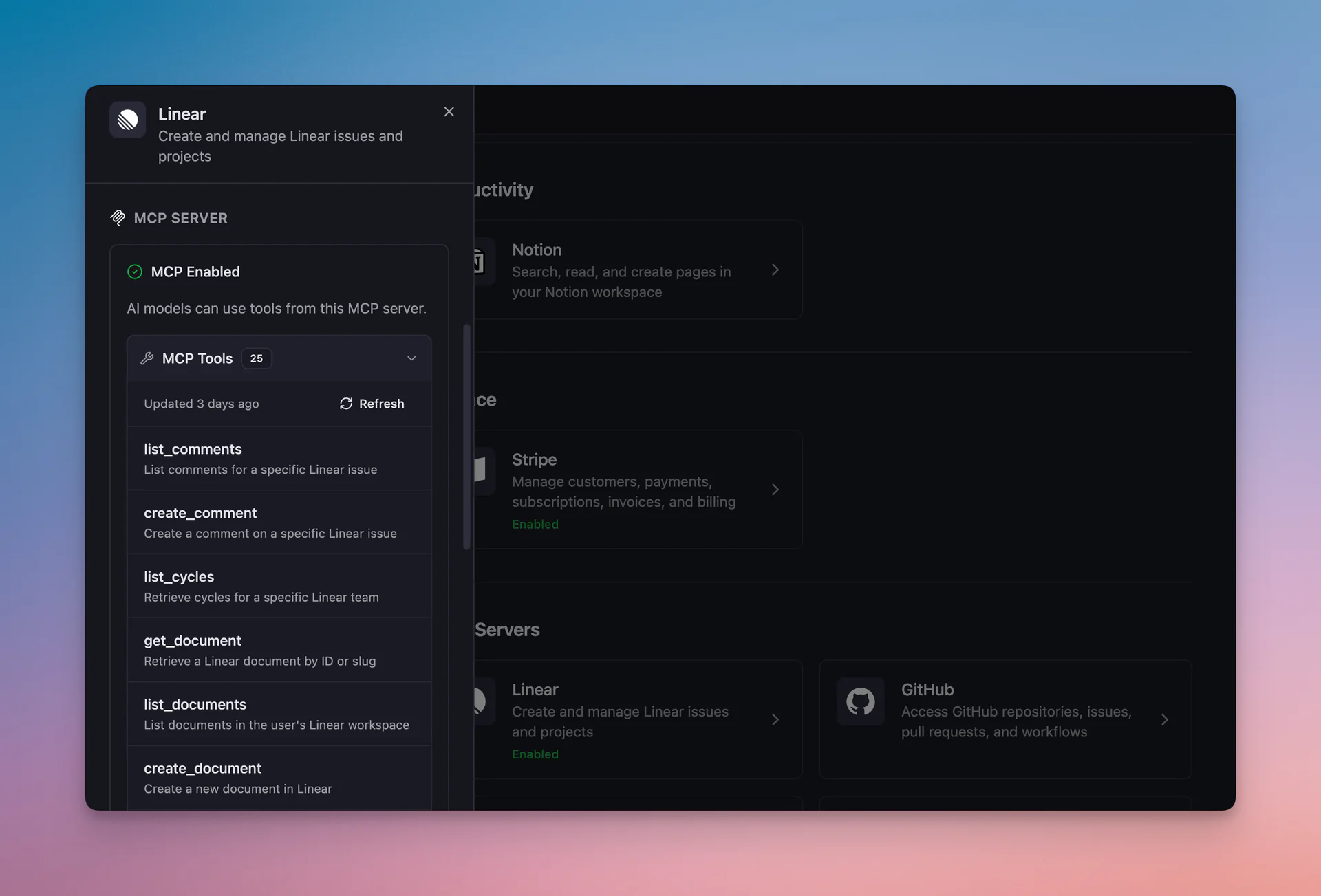
We've added support for MCP (Model Context Protocol) servers, allowing AI models in Mantle Chat to directly interact with external tools and services. This is a game-changer for productivity — your AI can now read, search, and take actions in the tools you already use.
Four Integrations at Launch
- 📋 Linear: Search issues, read project details, create and update tickets — all through natural conversation
- 📝 Notion: Query your Notion workspace, search pages, and access your team's knowledge base
- 🐙 GitHub: Browse repositories, read code, search issues and PRs, understand your codebase
- 💳 Stripe: Look up customers, subscriptions, invoices, and payment data
How It Works
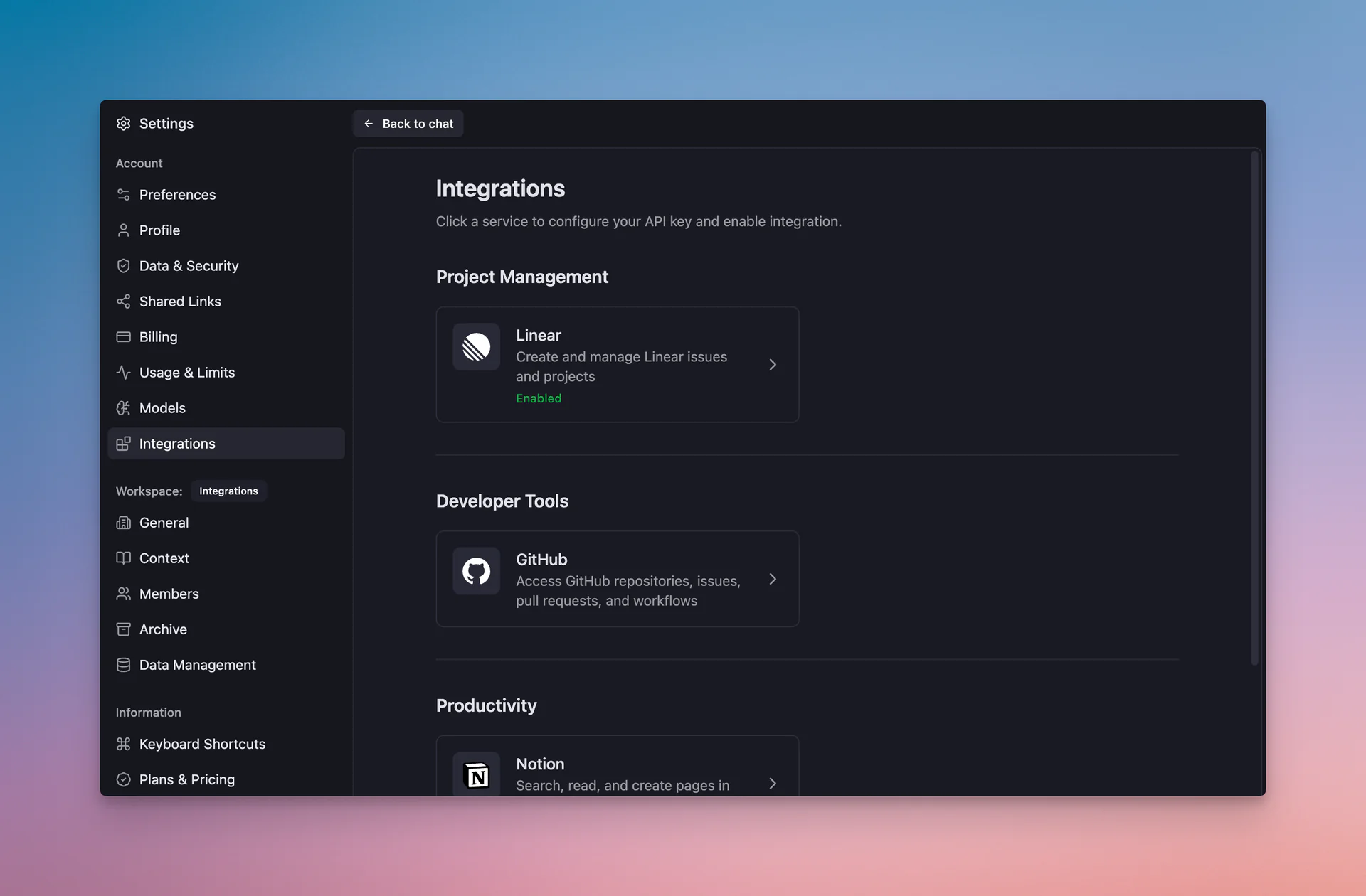
- Connect your account: Authenticate with each service in Settings → Integrations
- Chat naturally: Ask questions like "What are my open Linear issues?" or "Show me recent Stripe payments"
- AI does the rest: The AI model calls the appropriate MCP server and returns the information
Why This Matters
What you can do now:
- 🔍 Research without switching tabs: Ask AI about your GitHub PRs while staying in Mantle Chat
- 📊 Cross-reference data: "Compare the Stripe subscription data with what's in our Notion docs"
- ⚡ Faster workflows: Let AI gather context from multiple tools before giving you an answer
- 🤝 Team collaboration: Share AI-assisted insights that pull from your connected tools
MCP servers work with all AI models in Mantle Chat, giving you flexibility in how you interact with your tools.
Direct Integrations: Real-Time Updates in Channels
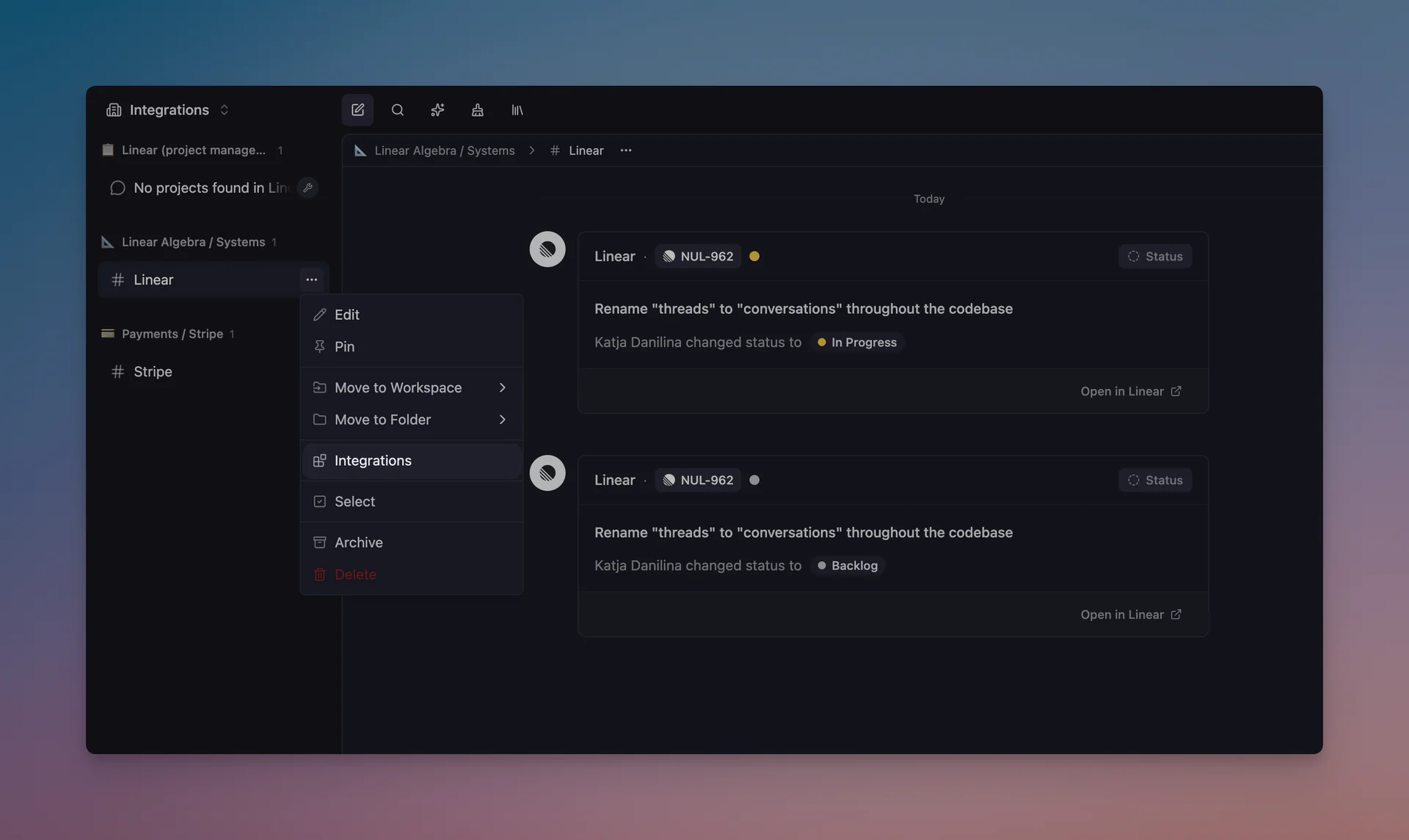
Beyond MCP servers, we've also added direct integrations that push updates directly into your channels — no AI interaction required.
Linear Integration
Connect your Linear workspace to receive issue updates right in Mantle Chat:
- 🎫 Issue created: See new issues as they're filed
- ✅ Status changes: Track when issues move through your workflow
- 💬 Comments: Stay updated on discussions without leaving Mantle Chat
- 🏷️ Assignments: Know when work is assigned to team members
Stripe Integration
Connect your Stripe account to monitor business-critical events:
- 💰 Payment received: Instant notification when customers pay
- 📈 New subscriptions: Know when someone subscribes
- ⚠️ Payment failures: React quickly to failed charges
- 🔄 Subscription changes: Track upgrades, downgrades, and cancellations
Setting Up Direct Integrations
- Go to Settings → Integrations
- Click Connect next to Linear or Stripe
- Authorize the connection via OAuth
- Choose which channel should receive updates
- Configure which event types you want to see
These integrations turn your channels into a real-time command center for your business operations.
AI Agents: Assistants Evolved
What we previously called "AI Assistants" have graduated to AI Agents — and they're now generally available to everyone!
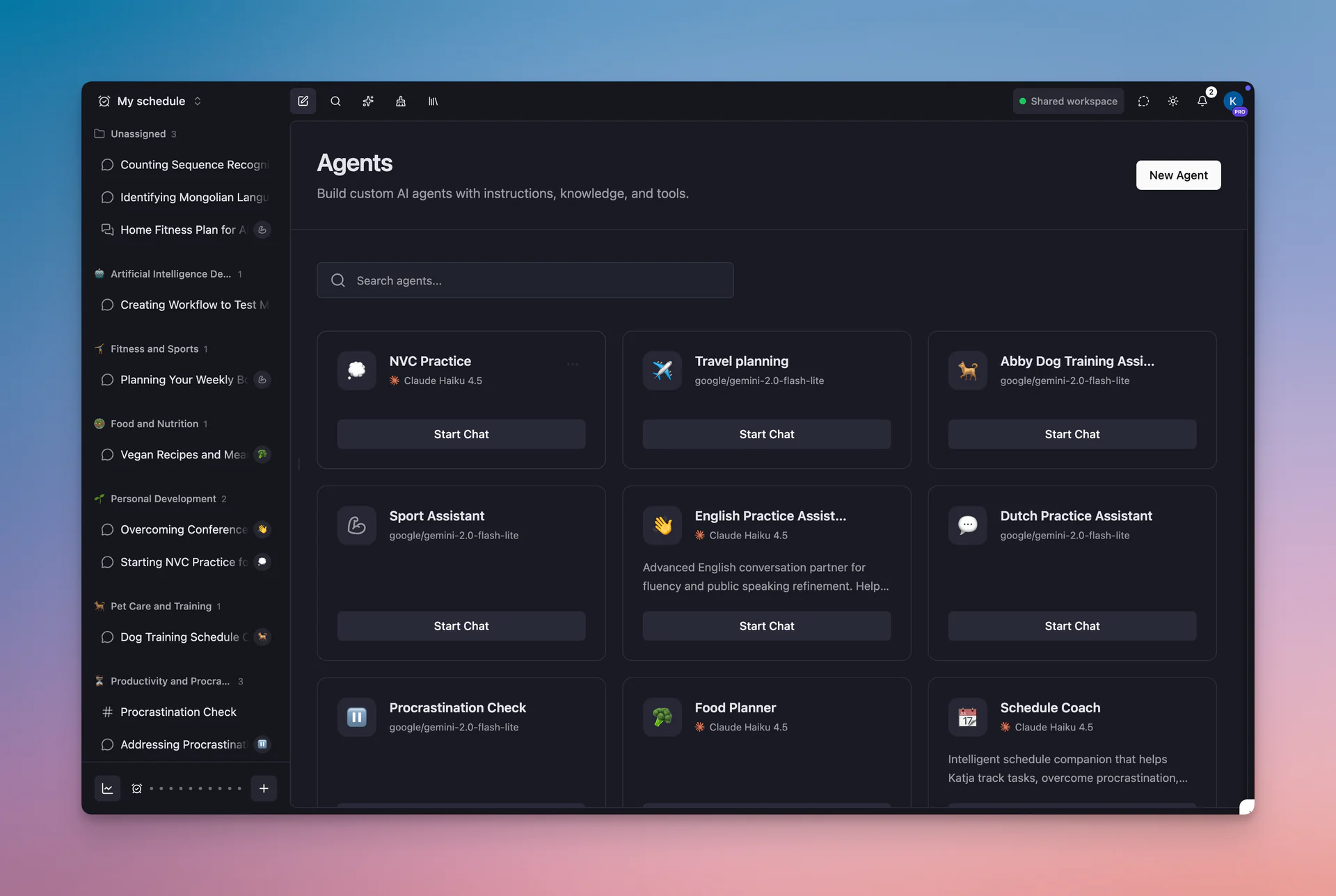
Why "Agents"?
With MCP server integrations, your custom AI configurations can now do much more than answer questions. They can:
- 🔧 Use tools: Connect MCP servers to give your agent access to Linear, GitHub, Notion, Stripe
- 🧠 Take actions: Agents can search, read, and interact with external services
- 🎯 Specialize: Create agents tailored to specific workflows with their own tools and knowledge
What's New
- 🚪 Open to all: No more beta signup required — just click "Get started" and create your first agent
- 🔌 MCP integration: Add MCP servers to agents for powerful tool-calling capabilities
- 📚 Knowledge base: Upload files that agents can reference during conversations
- 💬 Channel mentions: Use
@AgentNameto bring agents into channel conversations
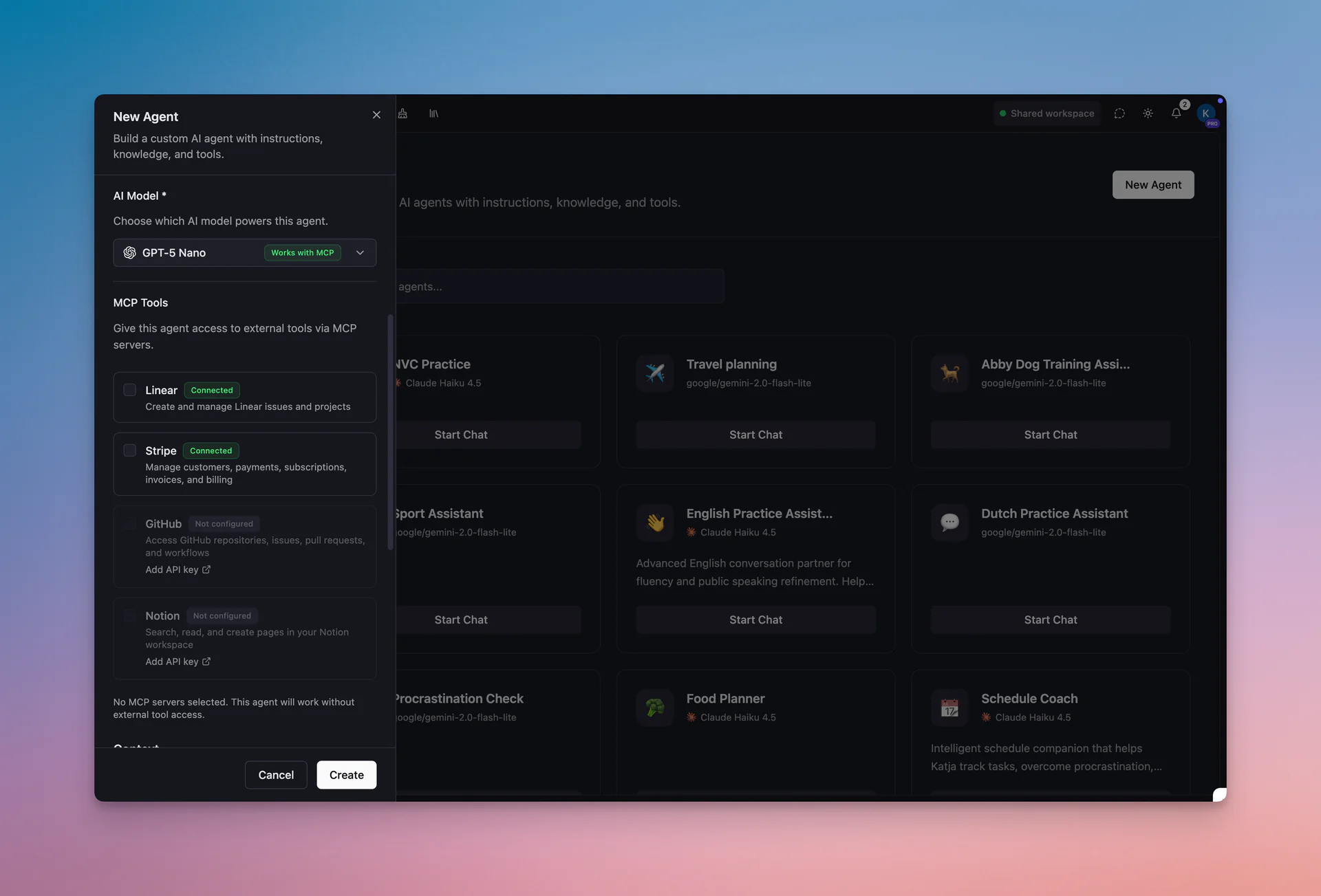
Example Use Cases
- DevOps Agent: Connected to GitHub + Linear, helps track issues and review PRs
- Finance Agent: Connected to Stripe + Notion, answers questions about revenue and documentation
- Research Agent: Connected to Notion + GitHub, cross-references docs with code
Create custom AI tools with their own instructions, knowledge bases, and connected services. Learn more →
Rebuilt Emoji Picker
We've completely rebuilt the emoji picker from scratch — it's now nice, shiny, and faster!
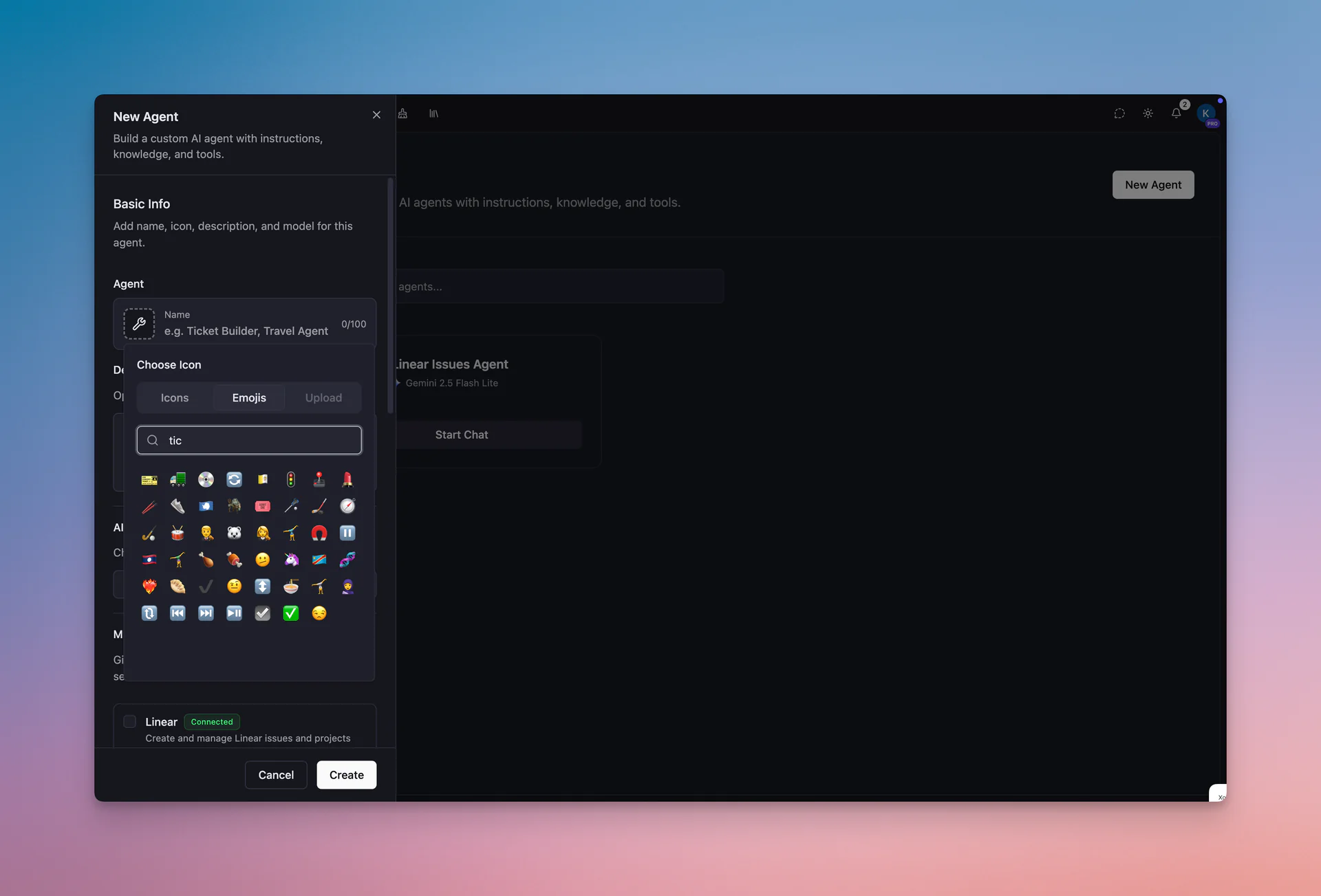
Where You'll Use It
- 🎨 Folder icons: Give your folders personality with custom emoji icons
- 🏢 Workspace icons: Brand your workspaces with distinctive emojis
- 🤖 Agent icons: Make your AI Agents instantly recognizable
- 💬 Message reactions: Let everyone know how you feel with emoji reactions
What's New
- ✨ Beautiful design: Clean, modern UI that feels native to Mantle Chat
- ⚡ Faster loading: Custom-built component with snappy performance
- 🔍 Quick search: Find any emoji by name instantly
- 🎯 Consistent everywhere: Same picker across the entire app
Expanded Free Tier: 10 AI Models
We've dramatically expanded the model lineup for free users. Free tier users now have access to 10 AI models across four providers!
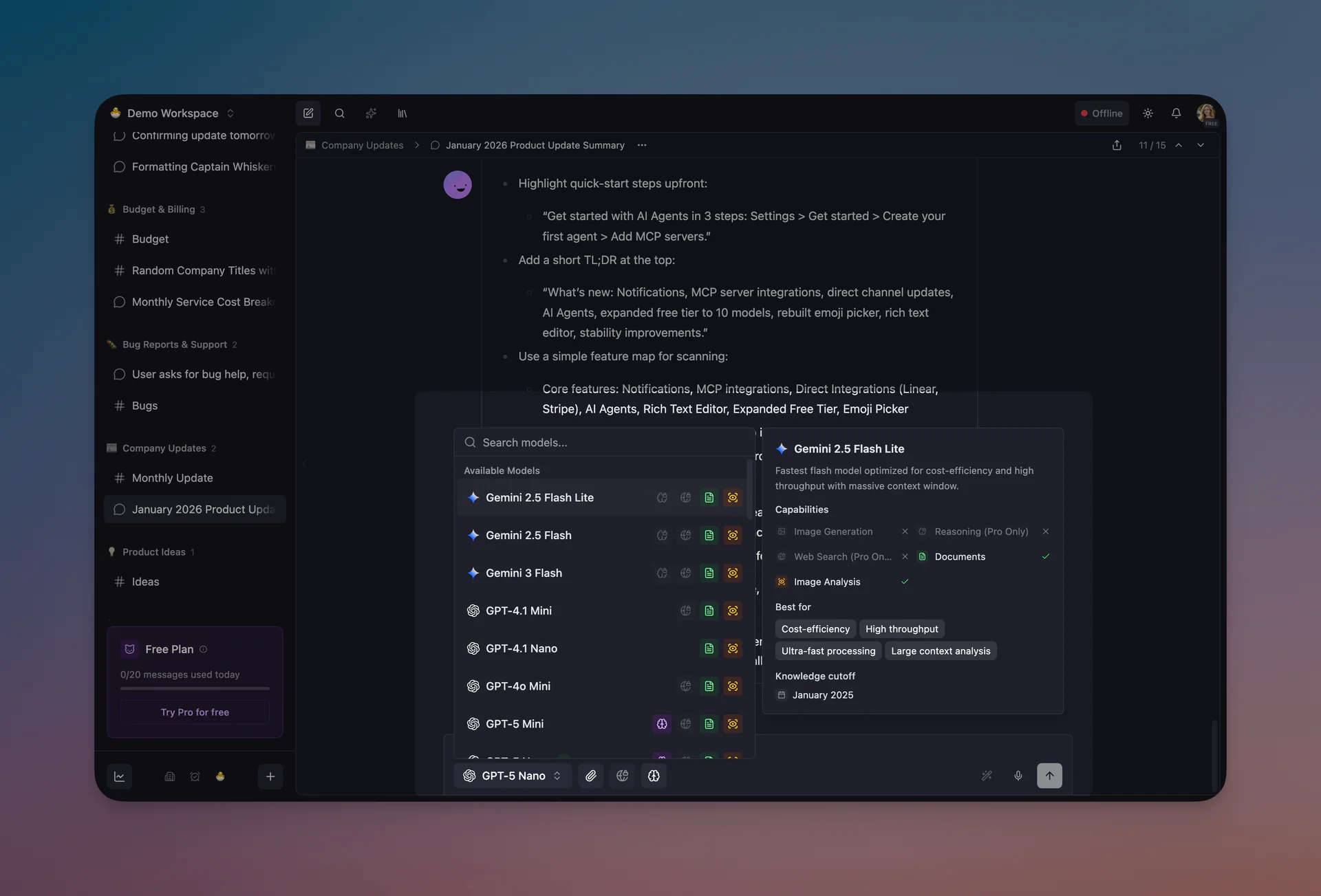
Free Tier Models
OpenAI:
- GPT-4.1 Mini
- GPT-4.1 Nano
- GPT-4o Mini
- GPT-5 Mini
- GPT-5 Nano
Google:
- Gemini 2.5 Flash Lite
- Gemini 2.5 Flash
- Gemini 3 Flash
xAI:
- Grok 4 Fast
- Grok 4.1 Fast
Why This Matters
- 🆓 More choice: Pick the right model for your task without upgrading
- ⚡ Fast models included: Grok 4.1 Fast offers 2M context window for free
- 🧮 Reasoning available: GPT-5 Mini and Nano include built-in reasoning capabilities
- 💪 No limitations: Same quality responses as Pro users on these models
Model Preferences Sync
New this month: Your model list is now saved to your user preferences. This means:
- 🔄 Cross-device sync: Your preferred models list stays consistent across all devices
- 🌐 Cross-browser: Switch browsers and your settings follow you
- ⭐ Custom ordering: Arrange models in your preferred order and it persists everywhere
New Rich Text Editor
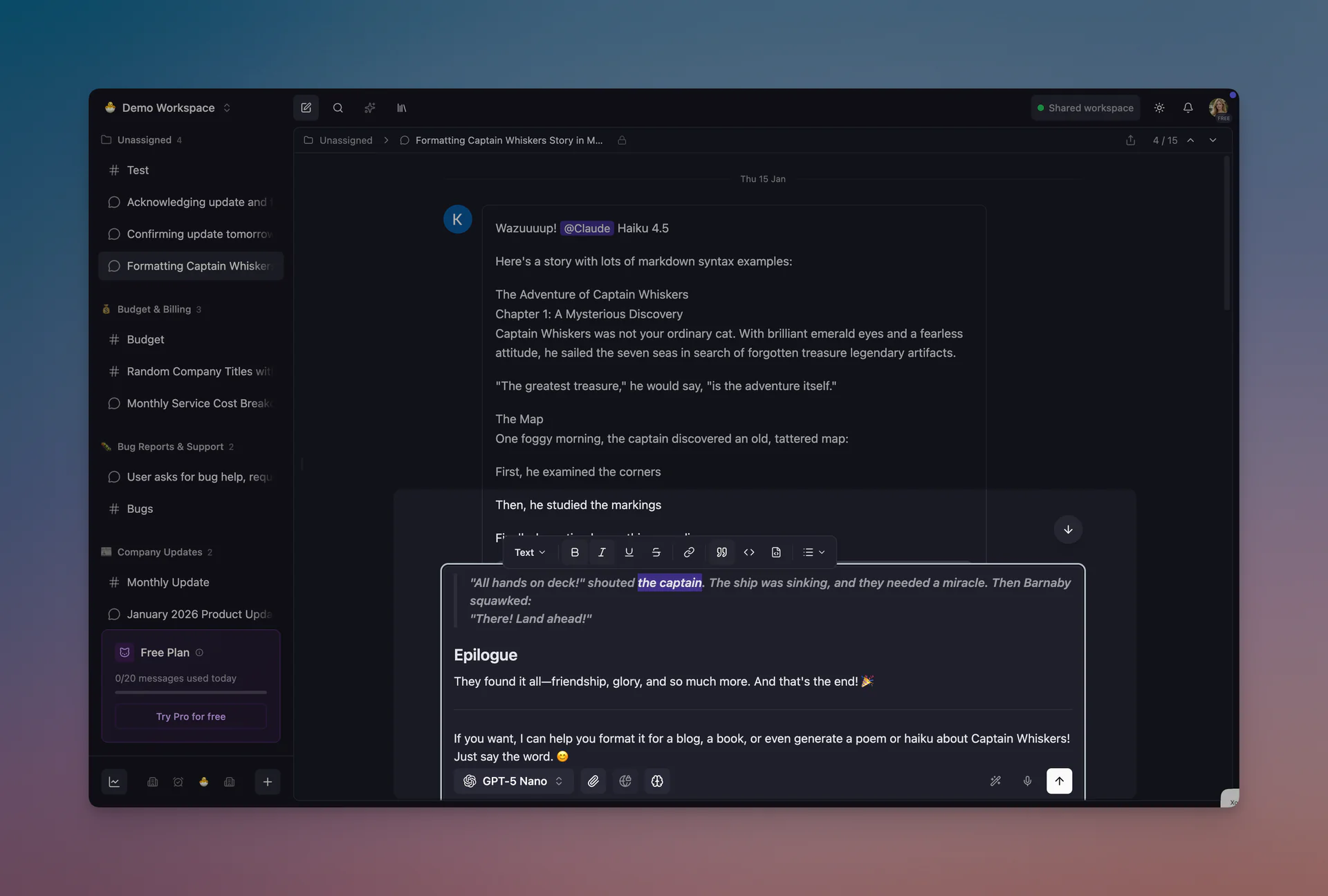
We've completely redesigned the rich text editor. The old input has been replaced with a powerful Tiptap-based editor that makes composing messages feel natural and expressive.
Formatting at Your Fingertips
- 📝 Bubble menu: Select text to reveal formatting options — bold, italic, code, links, and more
- 🎯 Keyboard shortcuts: Use familiar shortcuts like
Cmd+Bfor bold andCmd+Ifor italic - 📋 Smart paste: Paste markdown and it converts automatically to rich text
Rich Content Support
What you can now include in your messages:
- 📊 Tables: Paste tables from spreadsheets or markdown and they render beautifully
- ➖ Horizontal rules: Add visual separators with
--- - 💻 Code blocks: Syntax-highlighted code with language detection
- 😊 Emoji dropdown: Type
:to quickly find and insert emojis
Improved Mentions
We've also revamped how mentions work:
- 🎨 Visual mention pills: Mentions appear as styled badges in both the editor and messages
- ⌨️ Better keyboard navigation: Full arrow key and Enter/Tab support
- 🔄 Consistent rendering: Mentions look the same in drafts, sent messages, and edited messages
The new editor preserves your draft formatting even when you navigate away and come back — your work is always safe.
Stability & Infrastructure
January was also a month of significant behind-the-scenes improvements that make Mantle Chat more reliable and performant.
Server-Side Rendering Fixes
We resolved several SSR and hydration issues:
- 🔄 Fixed hydration mismatches: Eliminated console warnings and UI flicker
- 📦 Dynamic chunk loading: Resolved errors when lazily loading components
- 🚦 Graceful shutdown: Better handling of competing shutdown events
Redis & Database Improvements
- 🔌 Reconnection settings: Redis now properly reconnects after temporary disconnections
- ✅ Workspace validation: Added validators for workspace ID parameters
- 📊 Thread group queries: Optimized how we fetch and display thread groups
UX Improvements
- 📁 Folder assignments: Fixed issues with thread folder organization
- 💬 Chat starting flow: Improved reliability when starting new conversations
- 🔐 Workspace migration: Better encryption handling when moving content between workspaces
Developer Experience
For our internal development workflow, we've added comprehensive Claude Code agent skills:
- 🅰️ Angular skills: Component, routing, signals, forms, testing, and more
- 🪺 NestJS best practices: Backend development patterns
- 💳 Stripe integration: Payment implementation guidance
- ☁️ Cloudflare & Redis: Cloud service integration support
These skills help us ship features faster while maintaining code quality.
Thank You!
January was a transformative month, and we couldn't have done it without you. Every notification you receive, every message you format, every agent you create — that's why we build.
Special thanks to:
- Everyone who tested the new rich text editor and provided feedback
- Users who reported notification edge cases
- Early adopters of our MCP and direct integrations
- The community across all platforms for your ongoing support
Connect With Us
Have questions or feedback? We'd love to hear from you:
- 🔗 LinkedIn: linkedin.com/company/mantlechat
- 🌟 Peerlist: peerlist.io/katja/project/mantle-chat
- 🚀 Product Hunt: producthunt.com/products/mantle
- 🐦 X/Twitter: x.com/mantlechat
- 📸 Instagram: instagram.com/mantle.chat
- 📺 YouTube: youtube.com/@mantlechat
- 💬 Discord: discord.gg/STzq94kdDC
What's Next?
February is shaping up to be exciting:
- 🔗 More MCP Integrations: Expanding our catalog of AI-accessible tools
- 📊 Enhanced Integration Dashboards: Better visibility into your connected services
- 🤖 Agent Workflows: More powerful agent + MCP combinations for specialized tasks
- ⚡ Performance Optimizations: Faster message rendering and reduced latency
Stay tuned for more updates!
Let's build the future of AI collaboration together. 🚀
— The Mantle Chat Team