

monthly-update · desktop-app · workspace-navigation · realtime-sync · shared-links · product-polish
Mantle Chat Monthly Update: June 2026
By Mantle Chat Team · Jul 7, 2026 · 8 min read
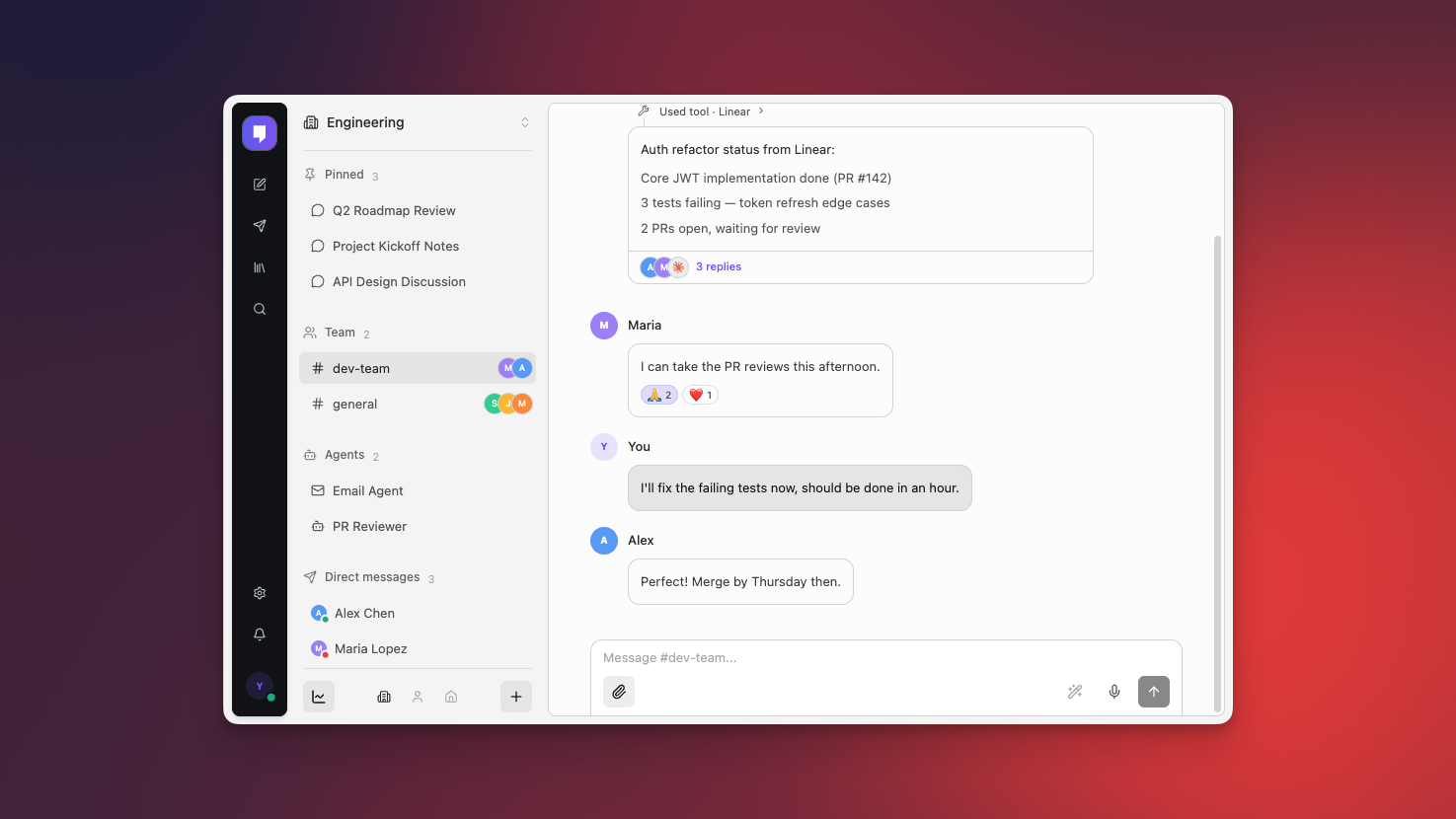
June was a quieter month than May on the outside, but an important one for the product. After launching publicly and starting Mantle Chat Desktop alpha development, we spent June making the experience feel more settled: cleaner navigation, smoother workspace switching, clearer shared links, better desktop behavior, and a stronger foundation for the next wave of collaboration features.
The theme was simple: less friction, fewer rough edges, and more confidence using Mantle Chat every day.
This month we:
- Polished the workspace experience with a redesigned rail, better sidebar behavior, and dedicated Agents and Tasks entry points.
- Made realtime workspace loading steadier, especially when switching between workspaces or coming back to cached data.
- Moved the desktop alpha closer to a native Mac app, with titlebar improvements, safer routing, and in-app update controls.
- Made shared links and signed-out flows clearer, so edge cases feel less confusing.
- Cleaned up the product foundation so future releases can ship on a simpler, more reliable base.
Let's walk through everything.
Workspace Navigation Feels More Focused
The biggest user-facing change in June was the workspace navigation pass. The left rail now feels more like a deliberate product surface instead of a stack of utility buttons.
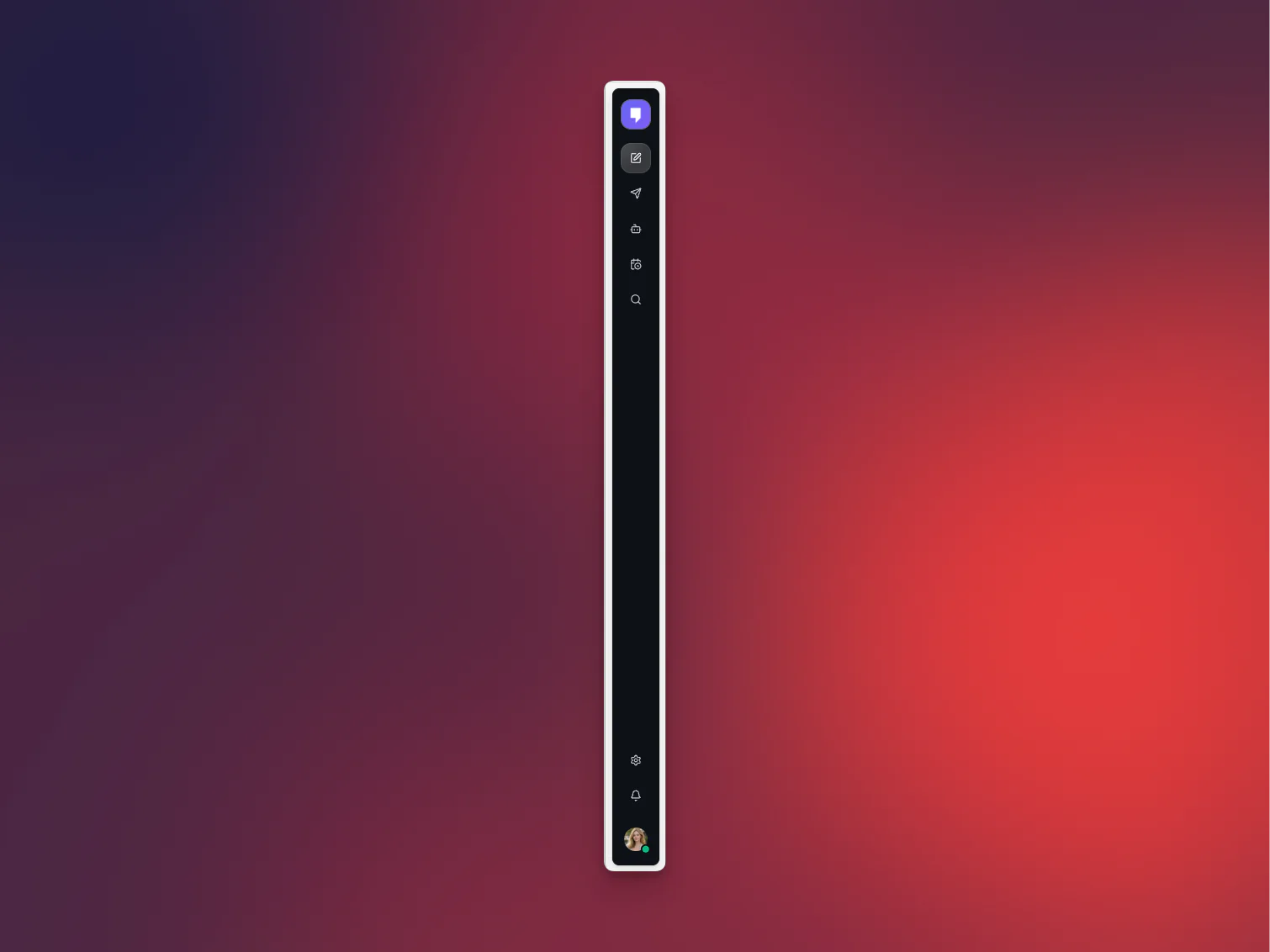
What's changed:
- A cleaner workspace rail: The rail now reads as a floating accent panel, with more consistent spacing, hover states, and active states across light and dark mode.
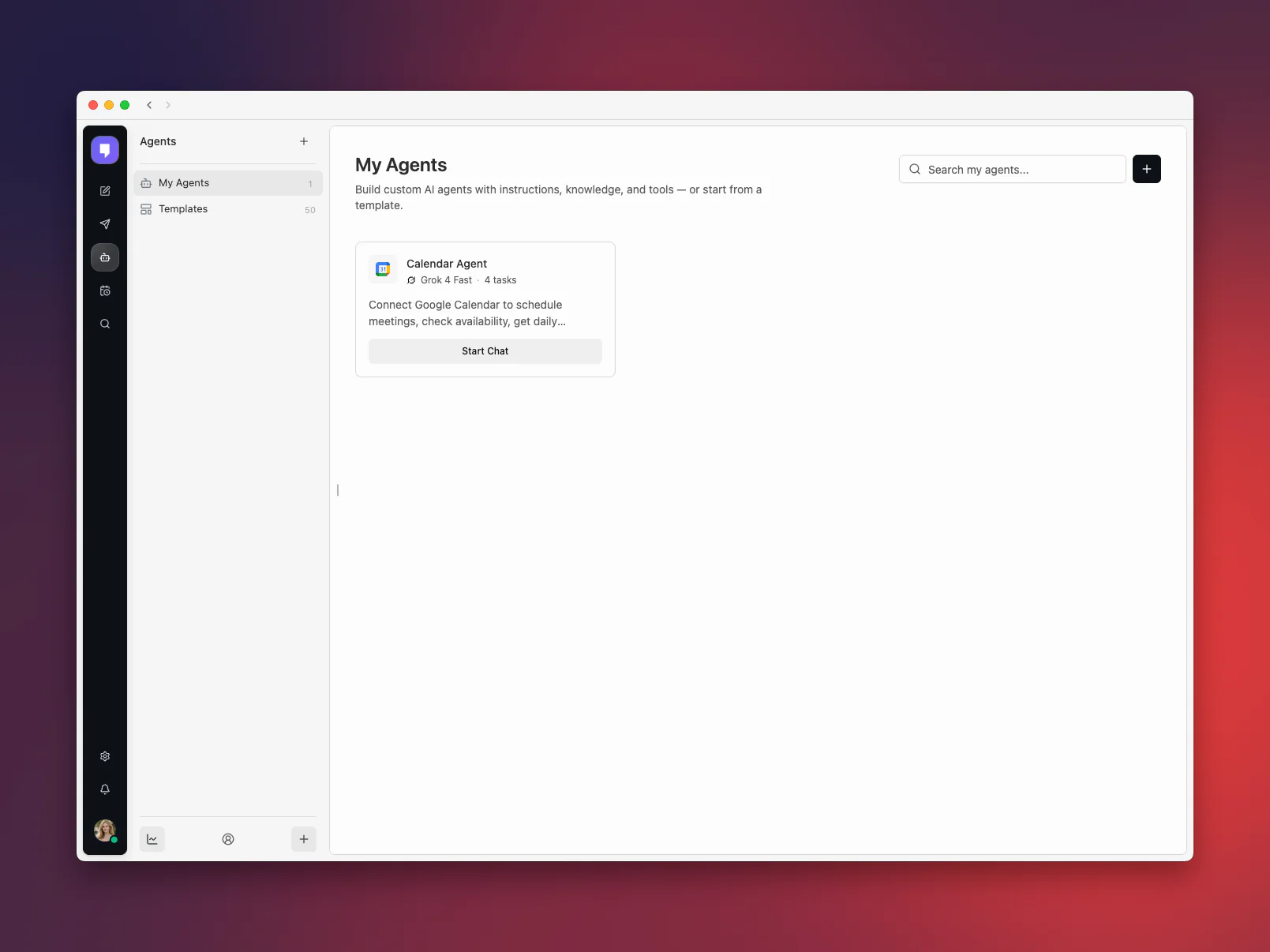
- Direct Agents access: Agents now have a clearer home in the workspace navigation. What used to sit behind the Library entry is now a dedicated Agents page.
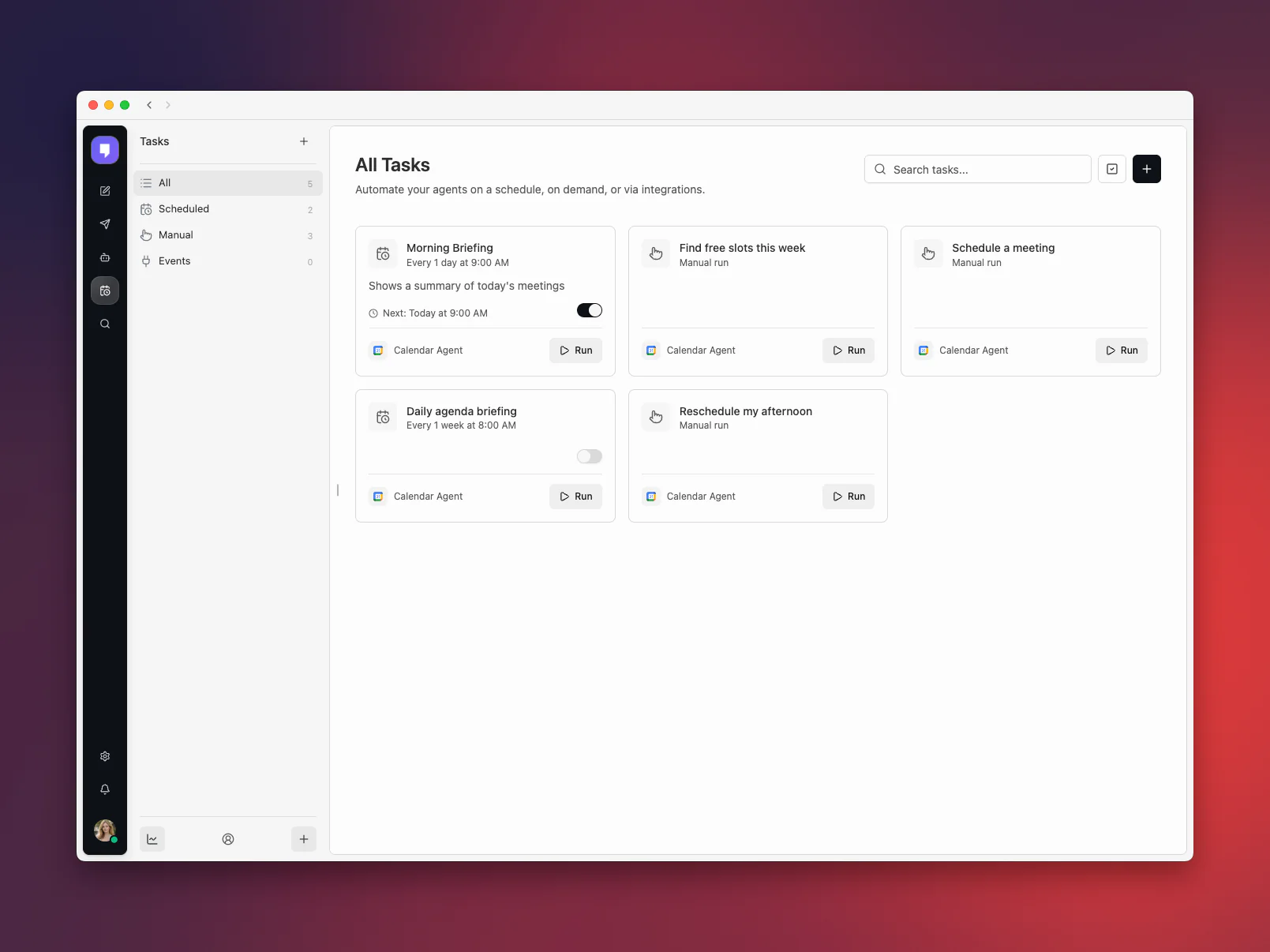
- Direct Tasks access: Tasks now have their own focused route too, making automations easier to find and manage without sharing space with agent setup.
- Smoother sidebar behavior: DMs, folders, search, settings, and workspace rows now share more consistent motion, spacing, and alignment.
- Better controls placement: Workspace cleanup actions, like AI reorganization and archiving inactive chats, moved into the workspace dropdown where they fit better.
The result is subtle but important. Mantle Chat has grown from a chat app into a workspace with chats, channels, DMs, agents, tasks, settings, search, and team surfaces. June's polish helps those parts feel like one coherent product.
Splitting Agents and Tasks out of the old Library surface also let us simplify the pages themselves. Agents can focus on setup, templates, and starting a chat; Tasks can focus on schedules, manual runs, and automation status.
More Control Over Your Sidebar
We also added and refined preferences for how your sidebar looks. Some teams want every folder and item to carry visual labels. Others prefer a cleaner text-first sidebar. June gives you more control without making the default experience noisy.
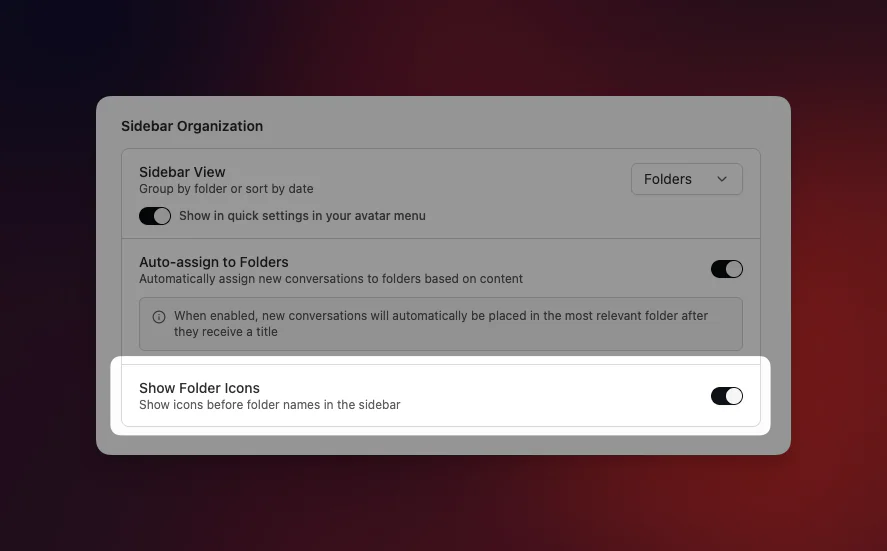
Before this pass, the sidebar relied more on text-only section headers, which made folders, DMs, and workspace groups feel less distinct.
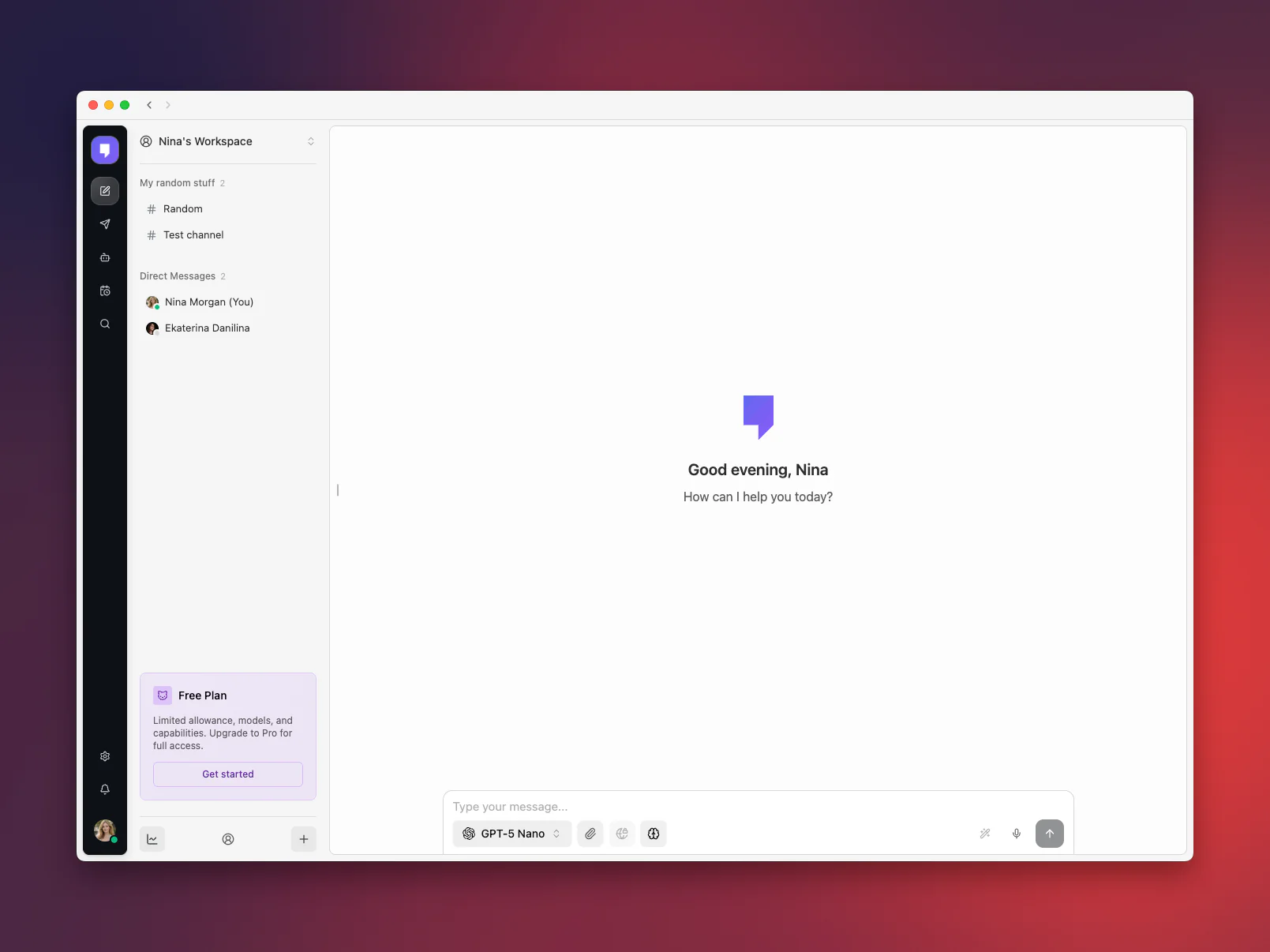
The updated sidebar keeps the same structure, but makes each group easier to scan at a glance.
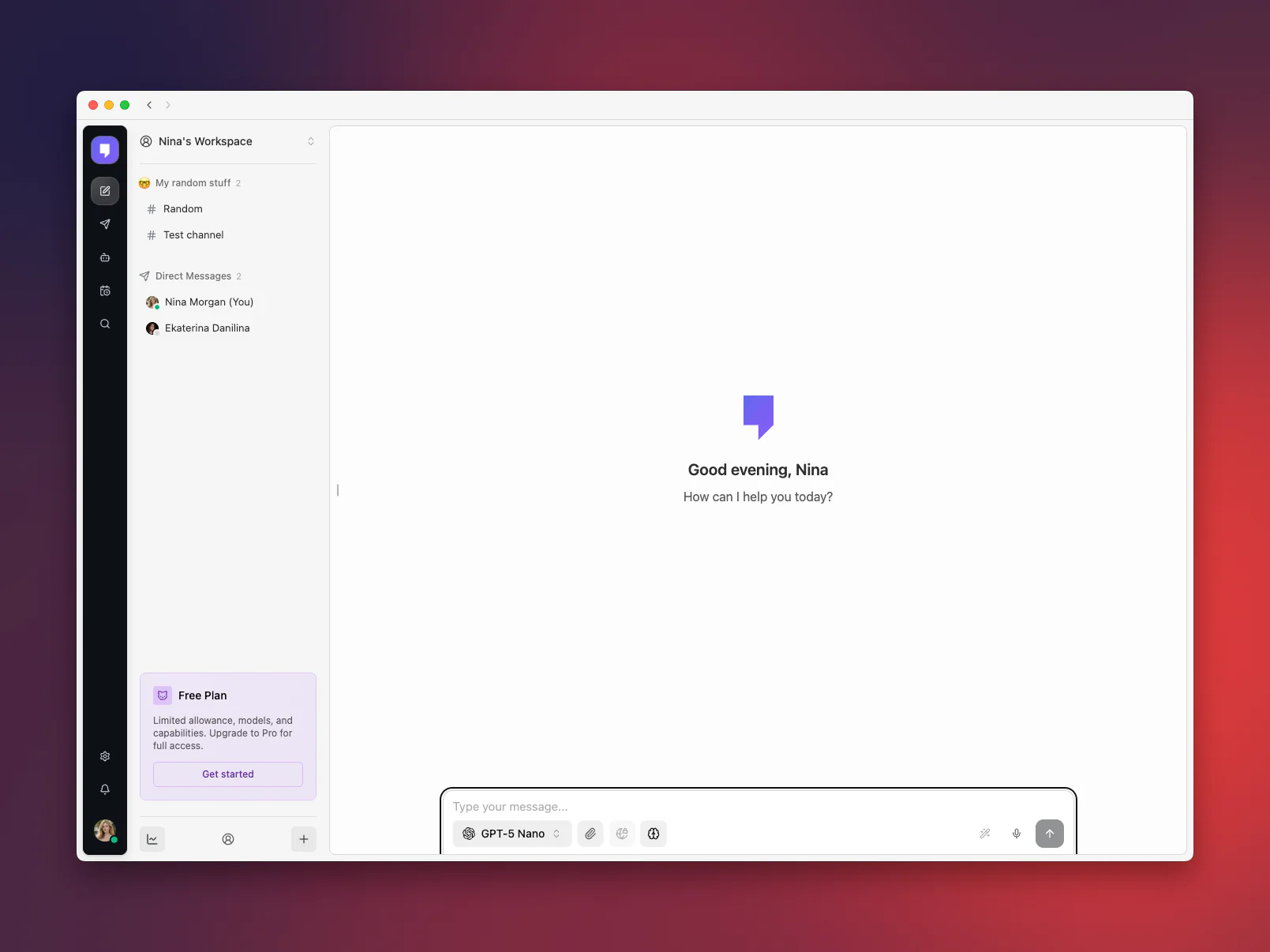
What this means for you:
- Folder icon control: You can choose whether folder headers show icons.
- Less visual noise: Teams that prefer a quieter sidebar can hide extra icon treatment.
- Better defaults: Folder headers, pinned sections, DMs, custom folders, and date folders now behave more consistently.
- Preference sync: Sidebar organization settings remain part of your saved Mantle Chat preferences.
This is the kind of detail that matters when you keep Mantle Chat open all day. A sidebar should help you orient yourself, not compete with the conversation.
Realtime Sync Got Steadier
June also included a focused pass on realtime workspace loading and cached workspace data.
In practice, this means Mantle Chat should feel more reliable when you switch workspaces, reload the app, or return to an existing session. Workspace items and DMs are less likely to briefly show a mixed old/new state while fresh data is loading.
What improved:
- Faster-feeling workspace switches: Cached workspace rows can appear promptly while fresh sync continues in the background.
- Cleaner loading boundaries: Sidebar and DM rows now wait for the right workspace data before they clear the loading state.
- More stable row sizing: Workspace items and leading icons now hold their shape better while data updates.
- Safer fallback behavior: Mantle Chat is better at using the reliable path first and continuing realtime sync when it becomes available.
We care a lot about this layer because Mantle Chat is built around shared context. If a teammate creates a channel, updates a workspace item, or sends a DM, the app needs to stay calm and current.
Desktop Alpha Became More Native
In May we shared the first look at Mantle Chat Desktop for Mac. In June, we kept pushing that alpha toward a real desktop app experience.
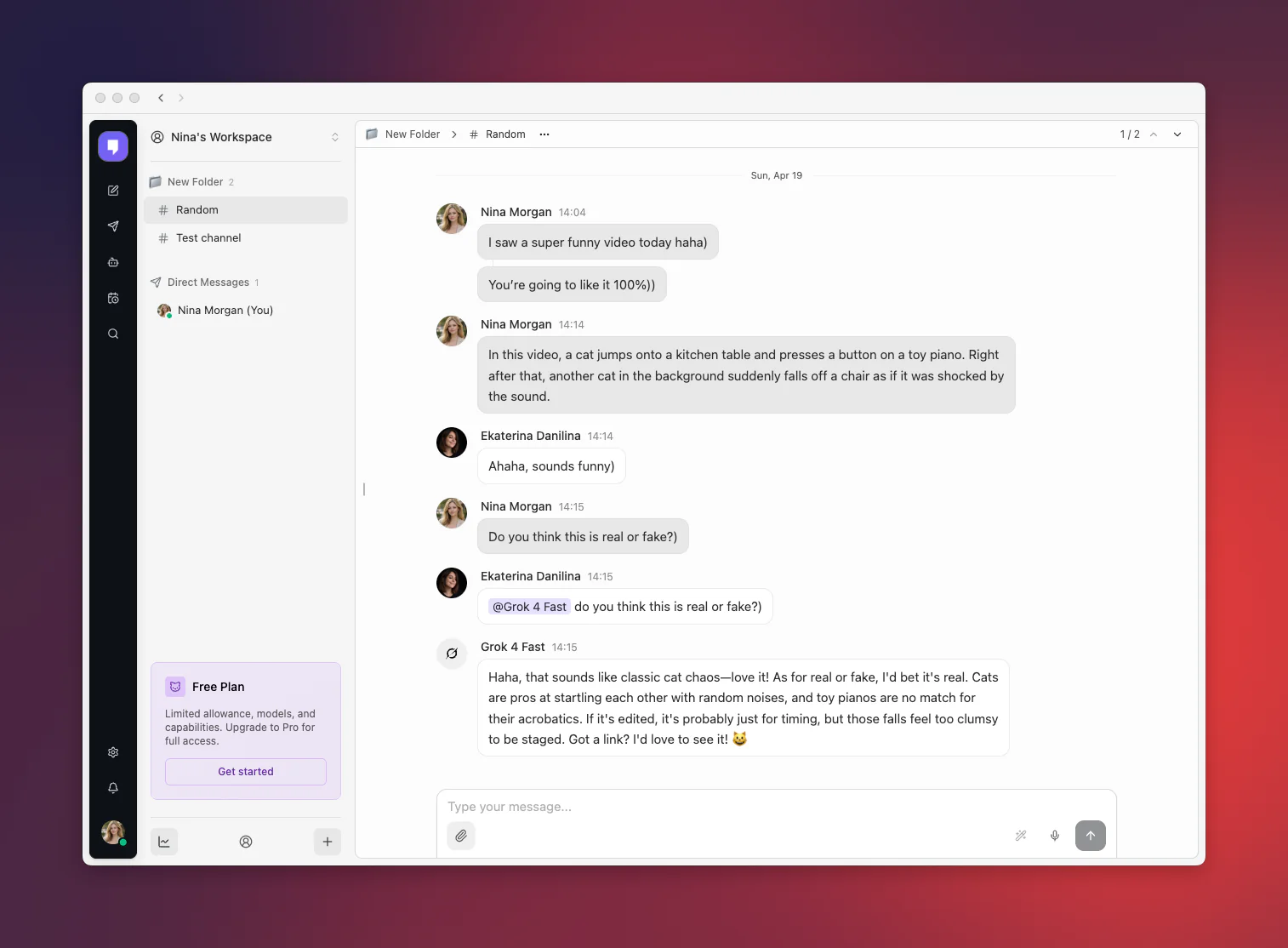
What changed in the desktop alpha:
- Native-feeling titlebar behavior: Empty titlebar space now behaves more like Mac window chrome, while back and forward controls remain clickable.
- Better release flow: Internal alpha builds now have a clearer release path, making it easier for us to ship fresh builds to testers.
- In-app update controls: Packaged desktop builds can now expose update and restart actions inside the app.
- Desktop-safe routing: The desktop app now focuses signed-out users on login and the app shell instead of exposing the broader public website inside the desktop window.
- Better desktop surface fit: Sheets and app surfaces now account for the desktop titlebar area more carefully.
This is still an alpha, but the shape is getting clearer: Mantle Chat Desktop should feel like Mantle Chat, but at home on your Mac.
Shared Links and Sign-In Got Cleaner
June included a quieter pass on shared links and signed-out flows.
This is not a headline feature, but it matters. When a shared link is missing, mistyped, or no longer available, Mantle Chat should give people a clear result instead of feeling broken. And when someone reaches a workspace while signed out, the product should guide them back to the right next step.
What improved:
- Clearer shared-link states: Public share links behave more predictably when a link is missing, mistyped, or no longer available.
- Cleaner signed-out flow: Workspace pages guide signed-out users back to sign-in more reliably.
- Simpler account assumptions: Mantle Chat now leans more clearly on registered accounts, while integrations stay separate from the core sign-in path.
- Less confusing edge-case behavior: Public pages and workspace routes are less likely to land in ambiguous loading or error states.
The user-facing benefit is simple: fewer strange dead ends and a product that feels more predictable around shared content and account state.
Automations and Reliability Polish
We also tightened a few important reliability details for agent tasks and the systems that keep Mantle Chat running.
Scheduled tasks now handle older schedule settings more gracefully, so an old automation is less likely to get stuck or behave unexpectedly. We also simplified parts of the foundation that help us ship product updates with more confidence.
That work is intentionally not flashy, but it matters. Every new feature in Mantle Chat depends on the same foundation: chats, channels, DMs, agents, tasks, billing, notifications, and realtime updates all need to trust the same system underneath.
What this means for you:
- More reliable scheduled tasks: Older schedule settings are interpreted more consistently before a task runs.
- Better release confidence: The areas users rely on most are easier for us to validate before updates go out.
- More stable foundations: Cleanup work reduces the chance that older behavior leaks into current workflows.
These are the kinds of changes that let us move faster without making the product feel fragile.
A Note on Canvas
We also explored a new collaborative Canvas workspace item in June. It reached an early version, but after testing it against the quality bar we want for Mantle Chat, we decided to pull it back before making it part of the product.
That was the right call. Canvas is an exciting direction, but it needs to feel as dependable as chats, channels, DMs, agents, and tasks before it belongs in your workspace. We'll return to it when it is ready.
Mantle Chat for iOS Is Coming Soon
We also started development on the Mantle Chat iOS app in June.
It is early, but the direction is clear: bring the core Mantle Chat workflows to iPhone without trying to squeeze the entire desktop product onto a smaller screen. The first version is focused on the essentials: chats, DMs, channels, and realtime visibility, so you can stay connected when you are away from your desk.
We will share more as the iOS app gets closer.
What June Sets Up
June was not about one giant launch moment. It was about making the post-launch product sturdier.
The workspace is easier to navigate. The sidebar is more customizable. Realtime loading is calmer. Mantle Chat Desktop feels more native. Shared links and signed-out flows are clearer. Mantle Chat for iOS has started. And experimental work that was not ready stayed out of the public product.
That gives us a better base for what comes next: deeper desktop work, richer agent and task workflows, smoother realtime experiences, and more collaboration surfaces that feel native to Mantle Chat instead of bolted on.
Thank You
Thank you to everyone using Mantle Chat after the May launch and telling us where the product still felt rough. June was shaped by those details: the places where a sidebar felt busy, a workspace switch felt uncertain, a desktop window did not quite feel native, or an old edge case created noise.
Those details add up. Keep sending them.
Connect With Us
Have questions or feedback? We'd love to hear from you:
- 🔗 LinkedIn: linkedin.com/company/mantlechat
- 🚀 Product Hunt: producthunt.com/products/mantle
- 🪐 Peerlist: peerlist.io/katja/project/mantle-chat
- 🐦 X/Twitter: x.com/mantlechat
- 📸 Instagram: instagram.com/mantle.chat
- 📺 YouTube: youtube.com/@mantlechat
- 💬 Discord: discord.gg/STzq94kdDC
Let's build the future of AI collaboration together. 🚀
— The Mantle Chat Team