

monthly-update · organizations · direct-messages · agent-templates · email-notifications · claude-opus · chat-layout
Mantle Chat Monthly Update: April 2026
By Mantle Chat Team · May 4, 2026 · 12 min read
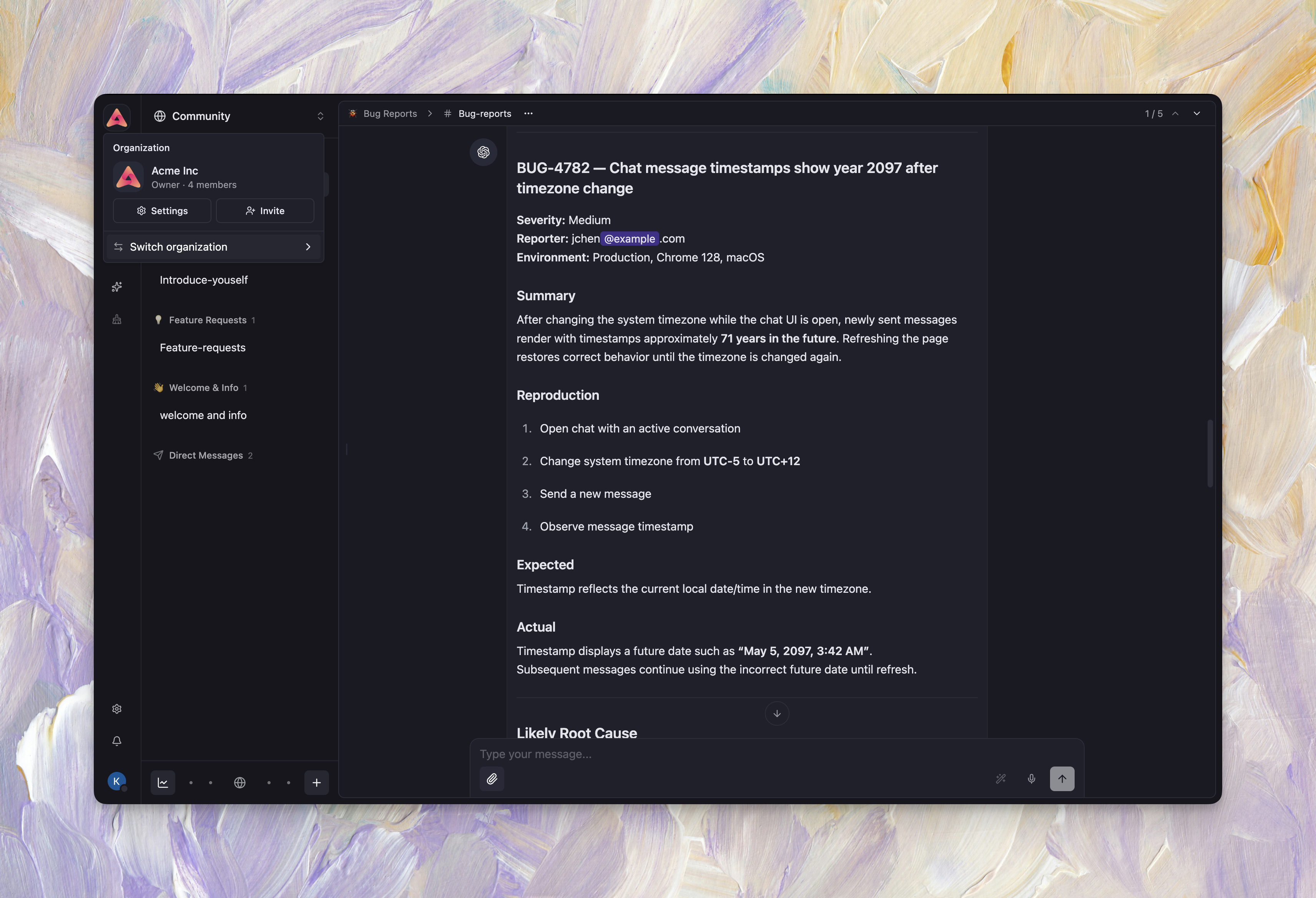
April 2026 was a pivotal month that helped us shape the product before launch. We shipped Organizations, it bringing real team structure to Mantle Chat with org-level membership, invitations, and workspace scoping. This changes how teams use Mantle Chat entirely, workspaces now belong to organizations, members are managed centrally, and switching between personal and team contexts is seamless. Direct Messages also landed, so you can now message anyone in your organization privately, with full support for threads, reactions, attachments, and real-time presence. We introduced Agent Templates so you can set up pre-built agents in a few clicks, expanded our Email Notifications with mention reminders, daily summaries, and subscription lifecycle emails, added Claude Opus 4.7, and completely redesigned the chat layout, a new workspace rail, improved sidebar, and mobile bottom navigation bring a more structured, pattern-driven architecture that scales as we add more surfaces. On top of that: reply quotes, a redesigned workspace library, per-message tool controls, and major subscription security hardening. Let's walk through everything.
Organizations
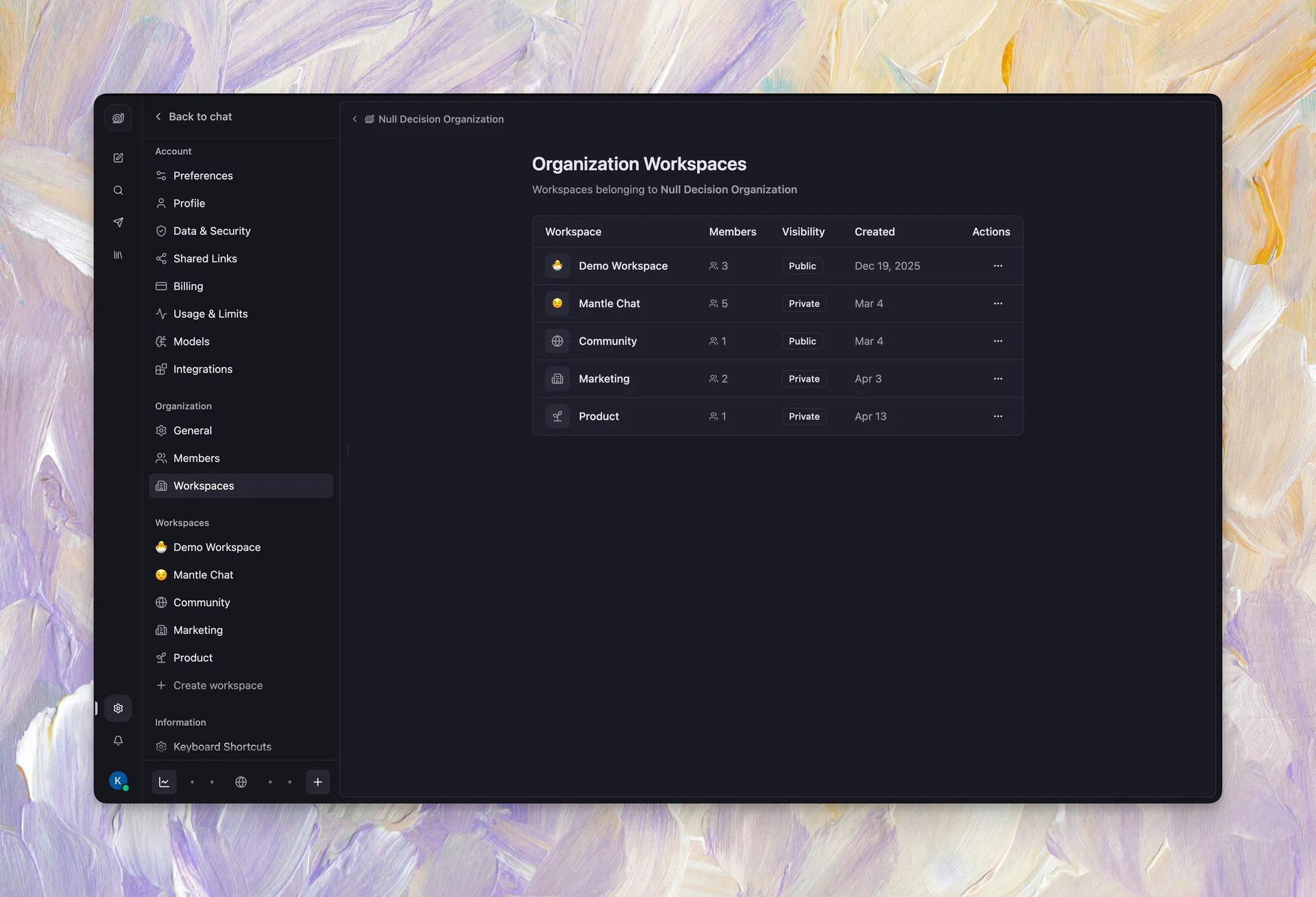
This is the foundational update we've been building toward — Organizations are now live in Mantle Chat. Every user gets a default organization, and you can create additional ones to separate personal and team workspaces.
What shipped:
- 🏢 Organization ownership & membership: Create organizations, invite members, assign roles (owner, admin, member), and transfer ownership
- 📨 Org invitations: Invite teammates by email with a dedicated invite accept flow, accepting an org invite automatically provisions a workspace
- 🏠 Active organization context: The sidebar and workspace surfaces now scope to your active organization, switch orgs from the avatar menu
- ⚙️ Organization settings: Dedicated settings pages for General, Members, and Workspaces, all scoped to the active org
- 🔒 Lifecycle invariants: Organizations always have at least one workspace, deleted users can't be re-provisioned, and org deletion safely cascades to attached workspaces
- 📋 Invite management: A dedicated invite management page for both workspaces and organizations, track active, expired, and completed invites with recipient details
Why this matters: Organizations give teams a clear hierarchy. Your workspaces now belong to an org, members are managed at the org level, and switching between personal and team contexts is a single click. This is the foundation for everything we're building around team collaboration.
Direct Messages
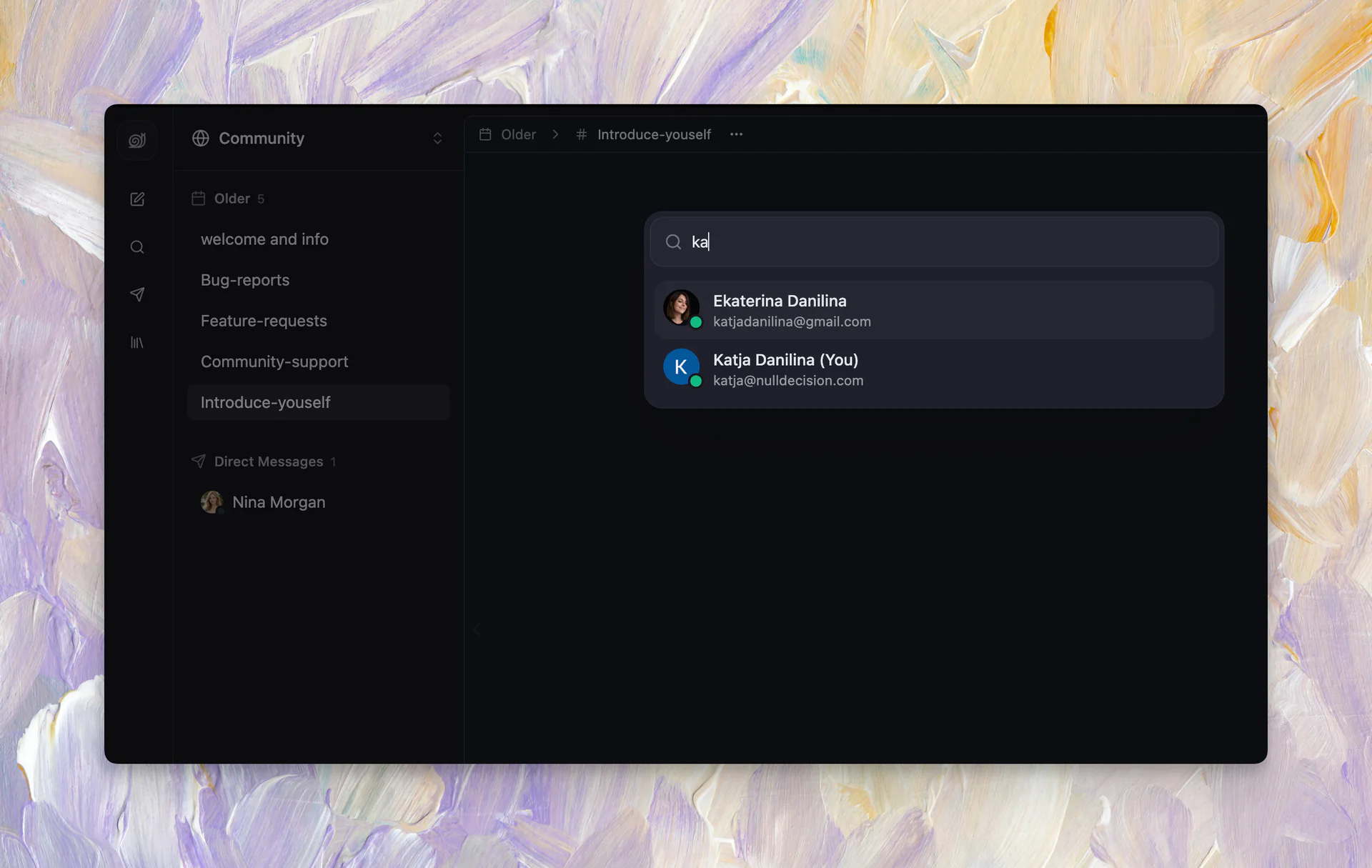
Sometimes you just need a quick 1:1 conversation without creating a channel or a shared chat. Direct Messages make that easy — message anyone in your organization privately, with threads, reactions, attachments, typing indicators, and unread notifications built in.
What's included:
- 💬 Private 1:1 conversations: Start a DM with any workspace member from the sidebar, command palette, or DM launcher
- 🧵 Full feature parity: DMs support threads, reactions, edit/delete, typing indicators, attachments, unread state, and notifications
- 🔔 Inbox integration: DM mentions and notifications appear in your inbox alongside channel and chat activity
- 📱 Mobile support: DMs on mobile open the sidebar DM pane with compact timestamps and readable previews
- 🔐 End-to-end encryption: DMs use the same encryption pipeline as chats and channels, your private conversations stay private
Agent Templates
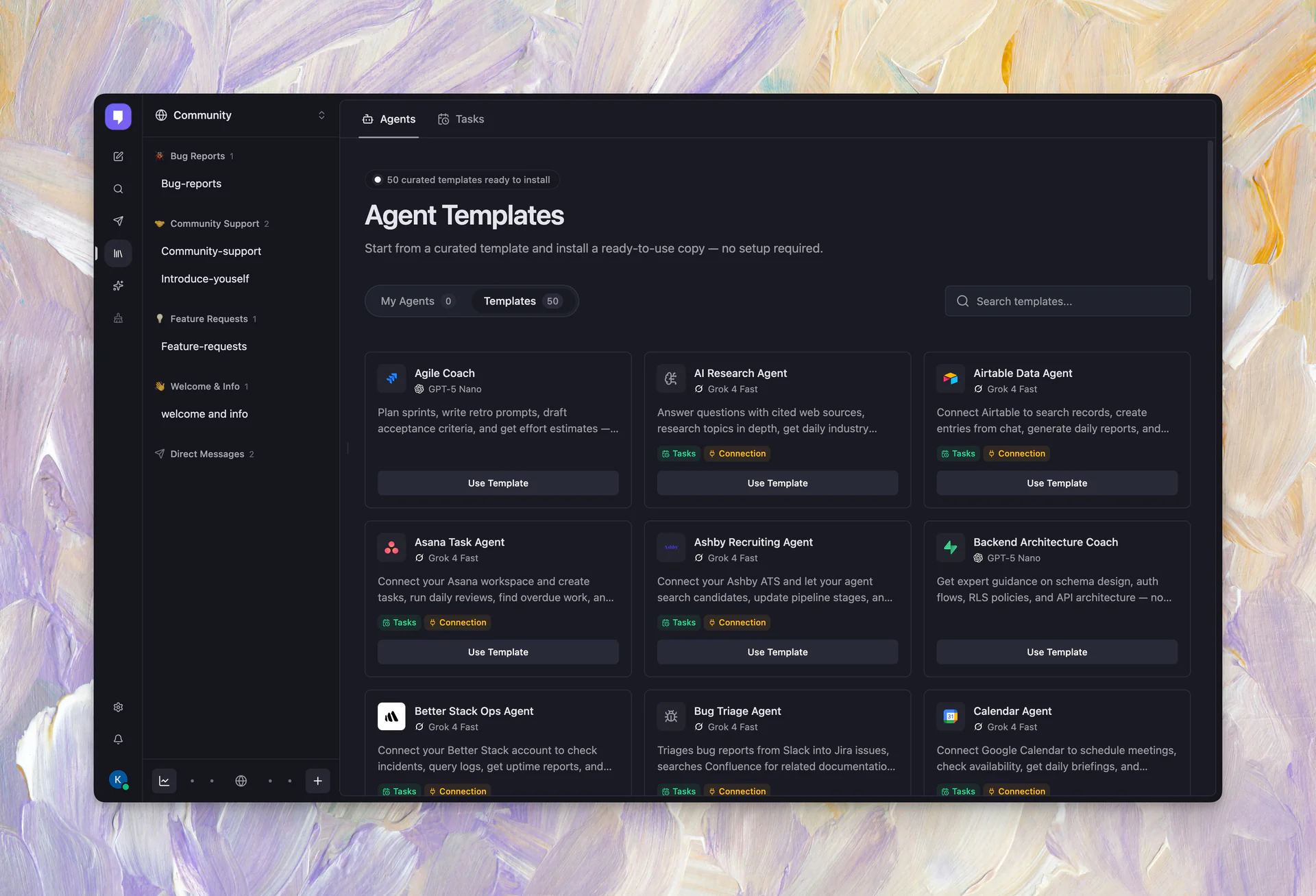
Setting up an agent from scratch can take time, now you can try it much easier and faster in Mantle Chat. Agent Templates are pre-built, ready-to-install agent configurations that come with instructions, tools, and tasks already wired up.
What's new:
- 📦 Browse templates: A new templates tab in the workspace library lets you browse agent templates with descriptions and capability tags
- 👁️ Preview before installing: Open a read-only preview of any template to see exactly what you'll get, instructions, tasks, triggers, and connected integrations
- ✅ Selective install: Choose which tasks to install from a template. You don't have to take everything
- 🔧 Fully editable after install: Installed templates become normal workspace agents. Customize them however you want
We also expanded the integrations surface with categorized integration listings, dedicated SEO-ready detail pages, and documentation for 30+ integrations.
Email Notifications
We expanded our email notifications to keep you informed even when you're not in the app.
What shipped:
- 📧 Mention reminders: Unread mentions older than 2 hours trigger an email digest with deep links. Click a row to jump straight to the message
- 📊 Daily summaries: A daily email with unread channels and chats across your workspaces, each linking directly to the right place
- 🎉 Welcome emails: New users receive a branded welcome email on sign up
- 💳 Subscription lifecycle emails: Cancellation, expiration, and Pro upgrade confirmations with one-click Stripe portal access
- 📨 Workspace invitations: Invitation emails now say "Join [Org Name] on Mantle Chat" with clear accept links
Polish included:
- 🔗 Deep links everywhere: Every mention, channel, workspace, and chat row in emails routes to the exact location in the app
- 🏷️ Brand consistency: All emails use "Mantle Chat" branding, with "Mantle Pro" preserved as the paid tier name
- 📝 Plain-text versions: Every email includes a plain-text version for better deliverability
- 📬 Sender address update: Moved from
noreply@to[email protected]for better deliverability
Chat Layout Redesign
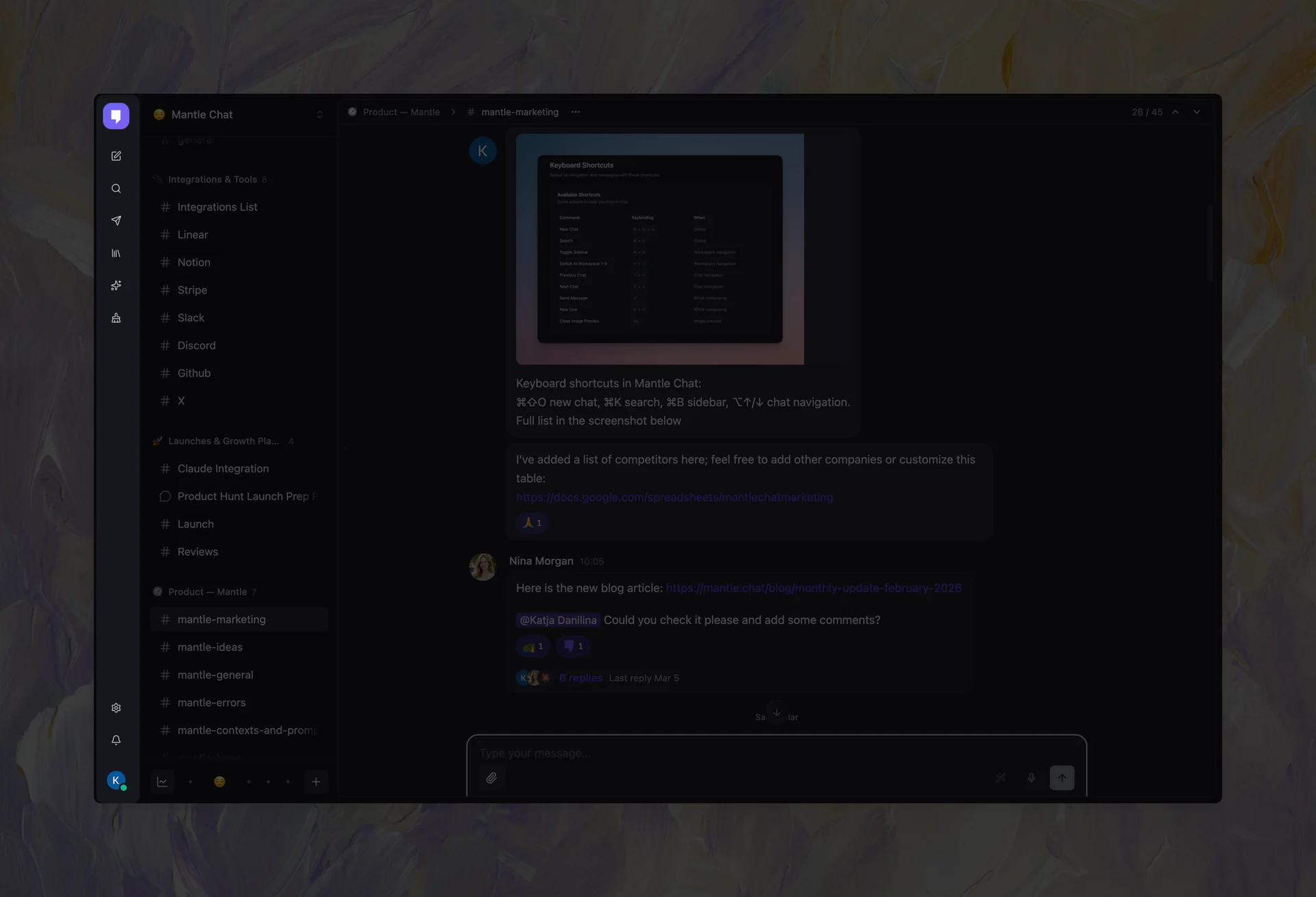
The entire app shell has been rebuilt around a vertical workspace rail and a clearer sidebar hierarchy.
What changed:
- 🏗️ Workspace rail: A new vertical rail on the left replaces the old top-header layout, giving organizations, workspaces, chats, channels, and DMs a stronger visual hierarchy
- 📱 Mobile bottom navigation: A new bottom nav connects sidebar, search, DM, and notification flows on mobile
- 🎯 Shared workbench shell: Chat and settings layouts now share a common shell for consistent behavior
- 💬 Updated surfaces: DM, search, and notification panes all match the new layout system
- ✨ UI polish: Refined workspace items, message actions, pane headers, and sidebar throughout
Reply Quotes
You can now reply to any message with a quote, giving your conversations more context and making threads easier to follow.
How it works:
- 💬 Reply with quote: Select "Reply with quote" from any message's action menu, or swipe left on mobile
- ✂️ Quote selected text: Highlight a specific fragment and quote just that part
- 🔗 Click to scroll: Quoted messages render inside the reply bubble. Click the quote to jump to the original
- 🤖 Works in assistant messages too: Quoted replies render correctly inside AI response bubbles
Claude Opus 4.7
Claude Opus 4.7 is now available in Mantle Chat. Anthropic's latest flagship model brings stronger multi-step reasoning, better instruction following, improved code generation, and a 200K context window. It's particularly good at complex analysis, long-form writing, and tasks that require understanding nuance across large documents. Available for Pro users alongside the full Claude model family.
Credit System Update
We continued improving the credit system we introduced in March. After testing in production, everything is working well and we've now enabled real-time enforcement, so credits are tracked accurately as you use them with no surprises at the end of a billing cycle.
Channel Improvements
Channels got a visual upgrade this month with a new message layout that makes team conversations feel more natural.
What changed:
- ⬅️ Left-aligned messages: All channel messages now align to the left, matching the collaborative chat patterns you're used to
- 👥 Grouped messages: Consecutive messages from the same sender share a single avatar, keeping the conversation clean
- 📐 Adjusted layout: Headers, timestamps, reactions, and actions all updated to match the new aligned layout
- 📁 Create channel in folder: A new "Create Channel" option in the folder menu lets you create a channel directly inside a specific folder
Workspace Library Redesign
The workspace library got a fresh coat of paint with better organization, responsive design, and a new selection UX.
What's new:
- 🎨 Redesigned cards: Agents, Templates, and Tasks cards now have a flat, clean design with smaller icon tiles, compact titles, and subtle hover effects
- 📱 Responsive tabs: Tab bars collapse into horizontal scrolling on narrow viewports with fade-edge shadows
- ✅ Task selection mode: Select tasks from the card menu and manage them via a floating panel with "Select all / Cancel / Delete N tasks"
- 🔍 Search clear: Every search input now has a clear (✕) button
- 🏷️ Task filter tabs: Filter tasks by All, Scheduled, Manual, or Events with live counts
- 🧩 Reusable FloatingActionsPanel: A shared floating actions component now powers the agent form, task detail page, and bulk task selection
More Improvements
- 🤖 Agent tooltips & links: Agent avatars and model mentions show rich tooltips with descriptions. Agent names link directly to their settings page
- 🎛️ Per-message tool controls: Temporarily dismiss specific integrations for individual messages. Chips in the send area show which tools are active
- 🔧 Tool-compatible model selection: When tools are active, the model selector filters to only show compatible models. Incompatible models are auto-deselected with a warning
- 📝 Usage warning improvements: Replaced stale "premium credits" copy with clearer Pro/high-cost language, made base-running-low warnings dismissible
- 🔍 SEO improvements: Added sitemap discovery for integration pages, applied route-level robots directives to prevent duplicate indexing, and added richer structured data
Thank You
April was a month of building foundations. Organizations and Direct Messages bring real team structure to Mantle Chat. Agent Templates make it easier to get started. Email Notifications keep you connected even when you're not in the app. And the redesigned chat layout sets us up for everything we're building next. Thank you for being part of this journey, your feedback shapes every decision we make.
Connect With Us
Have questions or feedback? We'd love to hear from you:
- 🔗 LinkedIn: linkedin.com/company/mantlechat
- 🚀 Product Hunt: producthunt.com/products/mantle
- 🐦 X/Twitter: x.com/mantlechat
- 📸 Instagram: instagram.com/mantle.chat
- 📺 YouTube: youtube.com/@mantlechat
- 💬 Discord: discord.gg/STzq94kdDC
Let's build the future of AI collaboration together. 🚀
— The Mantle Chat Team