

monthly-update · assistants · voice-to-text · grok · deepseek · gpt-5-2 · channels
Mantle Chat Monthly Update: December 2025 & Early January 2026
By Mantle Chat Team · Jan 9, 2026 · 18 min read
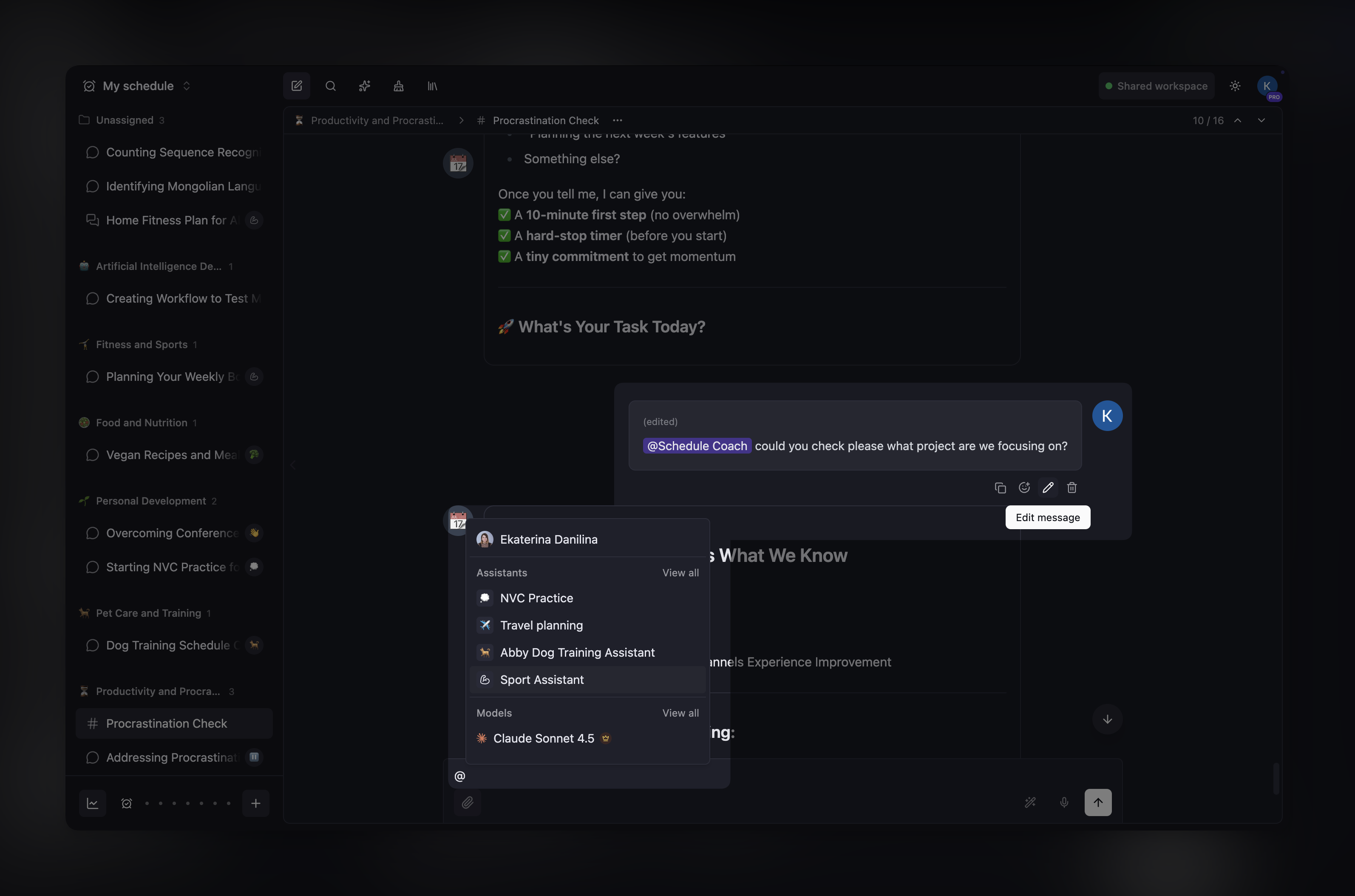
December 2025 and early January 2026 have been our most feature-packed period yet. We shipped AI Assistants, expanded our model lineup with new AI models, introduced voice-to-text transcription, and added more features to channels: message editing, deletion, and assistant mentions.
Let's dive into everything that's new!
AI Assistants: Your Custom AI Tools
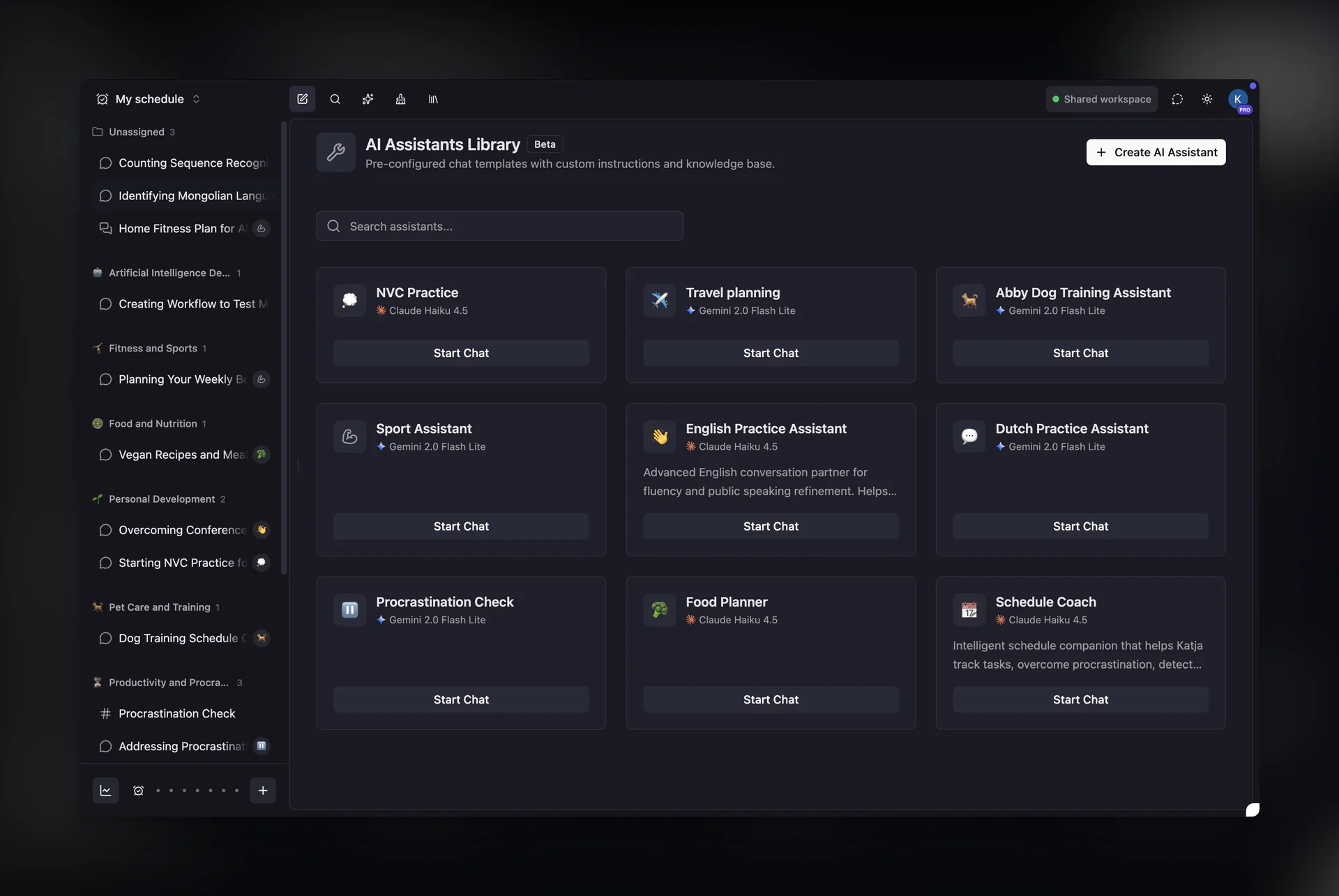
The biggest feature of this update is AI Assistants — a powerful way to create specialized AI tools tailored to your specific needs.
What Are Assistants?
Assistants are custom AI configurations that combine:
- 🎯 Custom Instructions: Define how the assistant should behave, what tasks it should handle, and what expertise to bring
- 📚 Knowledge Base: Upload files (PDFs, documents, images) that the assistant can reference during conversations
- 🎨 Personalization: Give each assistant a unique name and icon
Key Capabilities
Create and Manage Assistants:
- Create new assistants with custom instructions and knowledge files
- Update instructions and knowledge base anytime
- Share assistants across your workspace
Use Assistants in Channels:
- Mention assistants in channel messages using
@AssistantName - The assistant responds with full context of the conversation
- Perfect for team collaboration with specialized AI help
Knowledge Base Support:
- Upload reference materials that the assistant uses to inform responses
- Supports PDFs, documents, images, and text files
- Files are securely stored and accessible only within your workspace
This feature takes the Workspace Context we shipped in November to the next level — now you can have multiple specialized AI tools, each with their own instructions and knowledge.
New AI Models
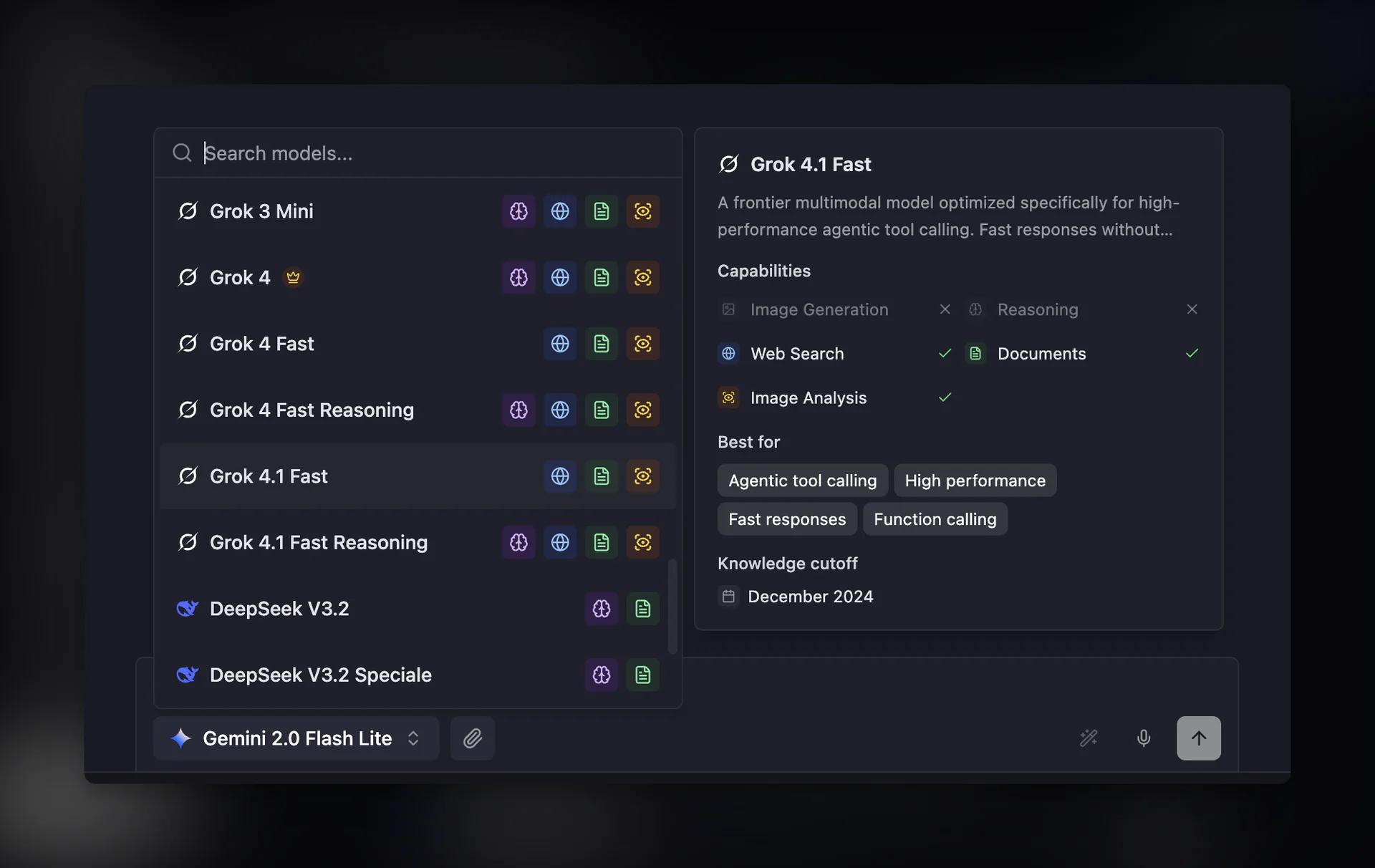
We've significantly expanded our AI model lineup this month. Most notably, we've added two entirely new providers — xAI (Grok) and DeepSeek — that weren't available in Mantle Chat before. Here's what's new:
GPT-5.2 & GPT-5.2 Reasoning (OpenAI)
OpenAI's latest and most capable models are now available in Mantle Chat:
- GPT-5.2: Enhanced capabilities with a massive 500K context window for complex multi-step tasks
- GPT-5.2 Reasoning: Advanced reasoning mode with configurable effort levels for deep thinking
Both models support streaming, function calling, vision, and web search. GPT-5.2 Reasoning is available on the Pro tier.
Grok Models (xAI)
We've added full support for xAI's Grok family — a comprehensive lineup of models for every use case:
- Grok 4: xAI's latest flagship with unparalleled natural language, math, and reasoning
- Grok 4 Fast: Cost-efficient model with 2M context window, optimized for function calling
- Grok 4 Fast Reasoning: Combines fast responses with thinking capabilities
- Grok 4.1 Fast: Frontier model optimized for high-performance agentic tool calling
- Grok 4.1 Fast Reasoning: Agentic reasoning for complex multi-step planning
- Grok 3: Enterprise-focused model excelling at data extraction and coding
- Grok 3 Mini: Lightweight reasoning model for logic-based tasks
All Grok models support web search through xAI's native integration, giving you real-time access to current information.
Gemini 3 (Google)
Google's newest generation brings frontier intelligence:
- Gemini 3 Pro: Most advanced Gemini with state-of-the-art reasoning for agentic workflows and autonomous coding
- Gemini 3 Flash: Frontier intelligence built for speed — Pro-grade reasoning at Flash-level latency
Both models feature dynamic thinking capabilities, 1M context window, and web search support.
DeepSeek Models
We've integrated DeepSeek's powerful reasoning models:
- DeepSeek V3.2: Reasoning and tool-use integration with thinking that can call tools during reasoning
- DeepSeek V3.2 Speciale: Maximum reasoning depth for intensive analysis tasks
- DeepSeek V3.1 Terminus: Improved language consistency with self-critique capabilities
- DeepSeek V3: MoE model with 671B parameters offering strong performance at low cost
- DeepSeek R1: Reasoning model with JSON output and function calling for agentic workflows
These models offer excellent value with competitive pricing and strong capabilities across coding, reasoning, and general tasks.
Voice-to-Text Transcription
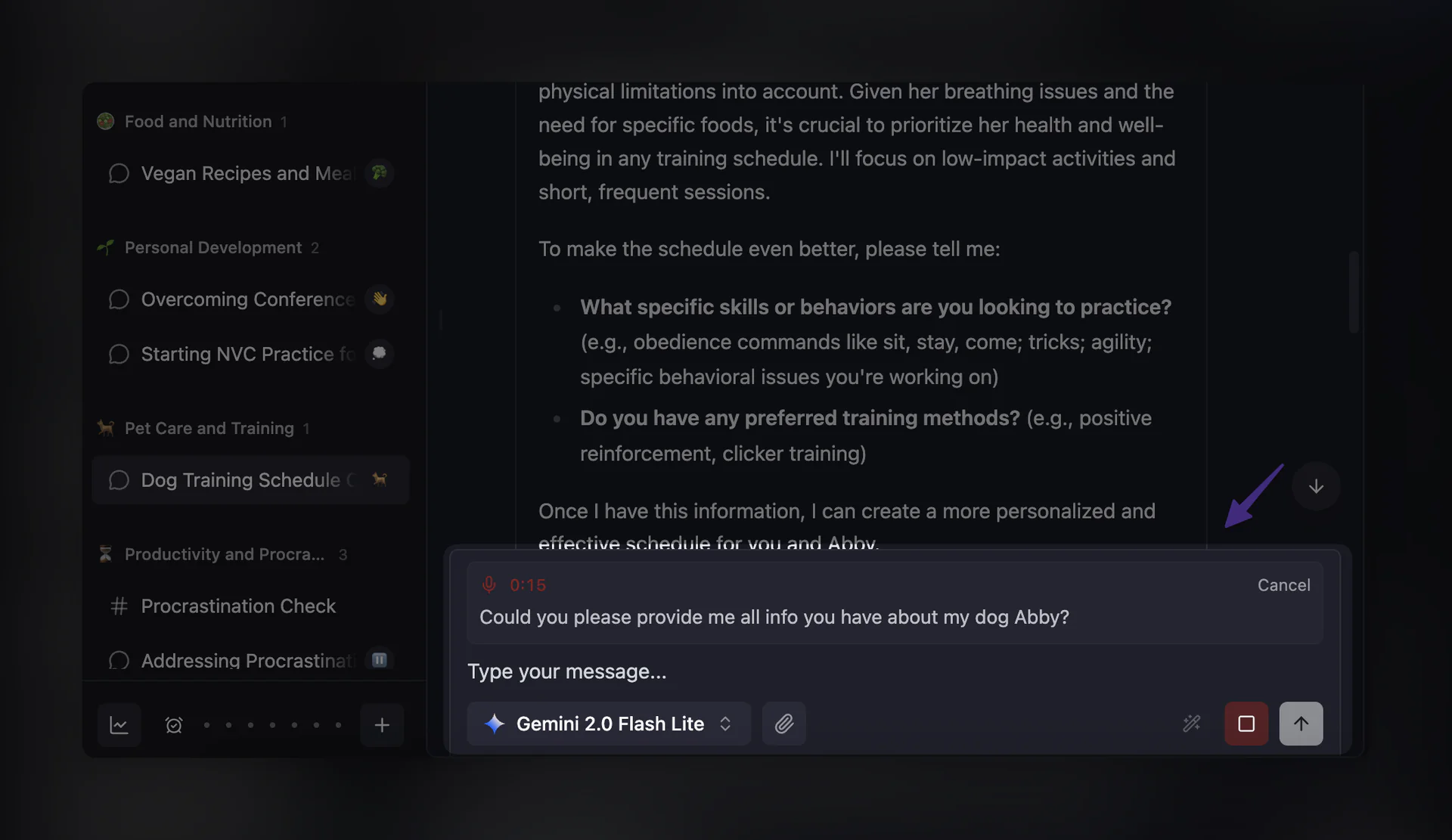
Say goodbye to typing long messages! We've added voice-to-text transcription powered by ElevenLabs:
How It Works
- 🎙️ Click the microphone button in the chat input area
- 🔴 Record your message for up to a minute
- ✨ Get real-time transcription as you speak
Features
- Real-time feedback: See recording and transcription status with clear visual indicators
- Cross-platform: Access via the dedicated microphone button on desktop and mobile
- Signed-in users only: Available for Free, Pro, and Team accounts
This feature is perfect for:
- Quickly capturing thoughts while on the go
- Hands-free input when you can't type
- Dictating longer messages more naturally
Enhanced Channel Features
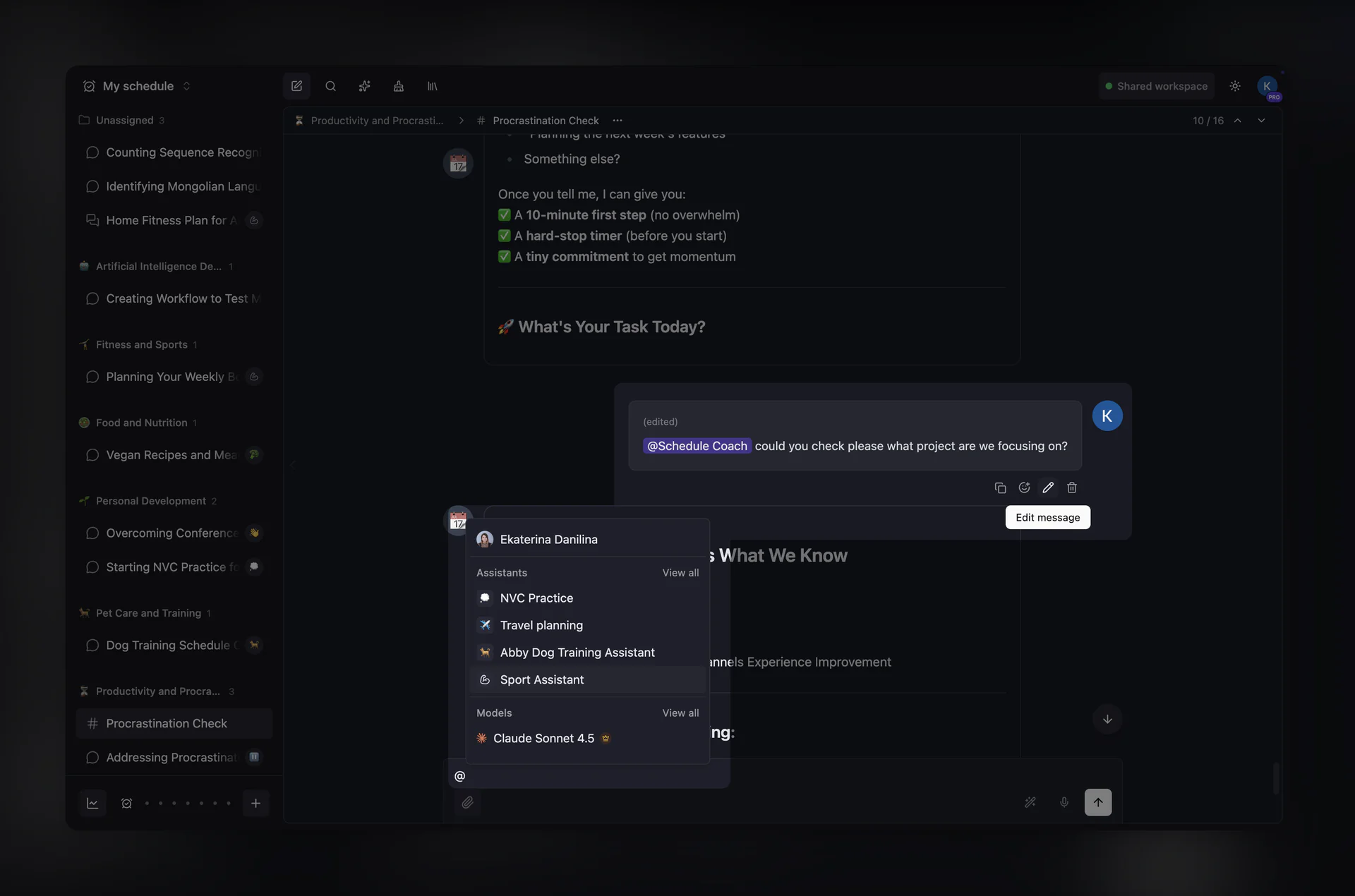
Channels are now fully collaborative with more powerful capabilities:
Edit Your Messages
- Edit any message you've sent in a channel
- Changes sync in real-time for all viewers
- Edit history is tracked with timestamps
Delete Your Messages
- Delete your own messages with a confirmation dialog
- Deleted messages show "This message was deleted" placeholder
- Attachments are automatically cleaned up
Mention Assistants
- Use
@AssistantNameto bring AI assistants into channel conversations - Assistants respond with context from the last 10 messages in the channel
- Perfect for getting AI help during team collaboration
Rich Text Mentions
We've completely redesigned how mentions work in channels:
- Mention menu: A dropdown where you can browse and select Users, Assistants, or Models to mention
- Visual mention pills: Mentions appear as styled badges in the input and messages
- Keyboard navigation: Full keyboard support for selecting mentions
Archive Inactive Chats
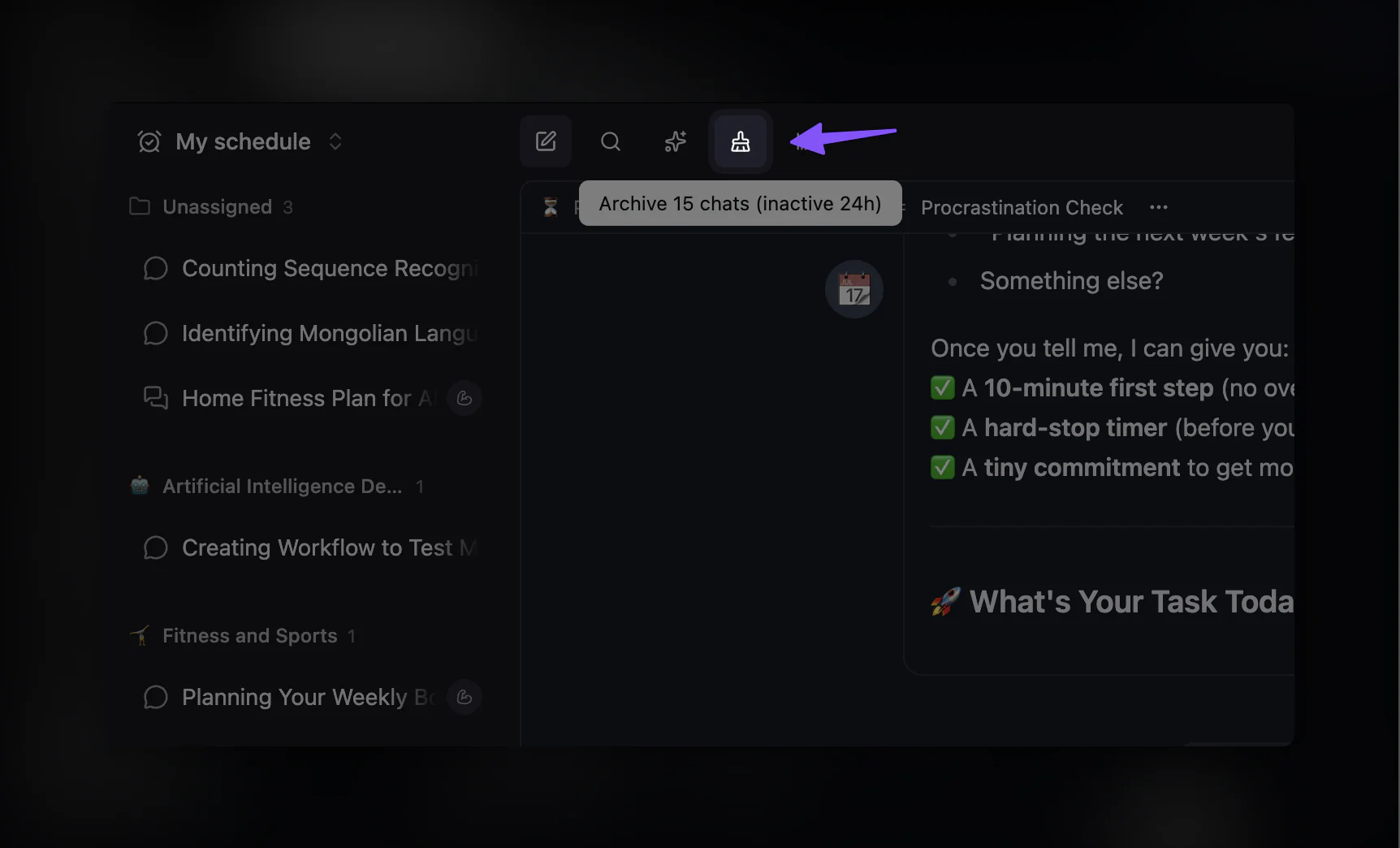
Keep your workspace clean with our new automated cleanup feature:
Auto-Archive Settings
Configure automatic archiving in workspace settings:
- 24 hours: Archive chats inactive for a day
- 48 hours: Archive after two days
- 1 week: Weekly cleanup
- 1 month: Monthly cleanup
Manual Cleanup
Workspace owners and admins can also:
- Preview how many chats will be archived
- Run cleanup instantly with a dedicated button
- Configure cleanup preferences per workspace
Archived chats aren't deleted — they're moved to your archive where you can access them anytime.
Workspace URLs
We've introduced a new URL structure that keeps your workspace context:
New Format
/w/:workspaceId/chat
/w/:workspaceId/assistants
/w/:workspaceId/settings
Benefits
- 🔖 Bookmarkable: Save links to specific workspaces
- 🔄 Shareable: Share workspace-specific URLs with teammates
- 🧭 Consistent navigation: Workspace context persists across the app
Legacy routes (/chat, /assistants, /settings) still redirect signed-in users to the new workspace format.
Improved Mention Dropdown
The mention dropdown now supports expanded views:
- "View all" buttons: See all users, assistants, or models when there are many
- Go back navigation: Easy return to the main view
- Keyboard support: Full arrow key navigation in expanded view
- Smart sections: Separate sections for Users, Assistants, and Models
New Docs Portal
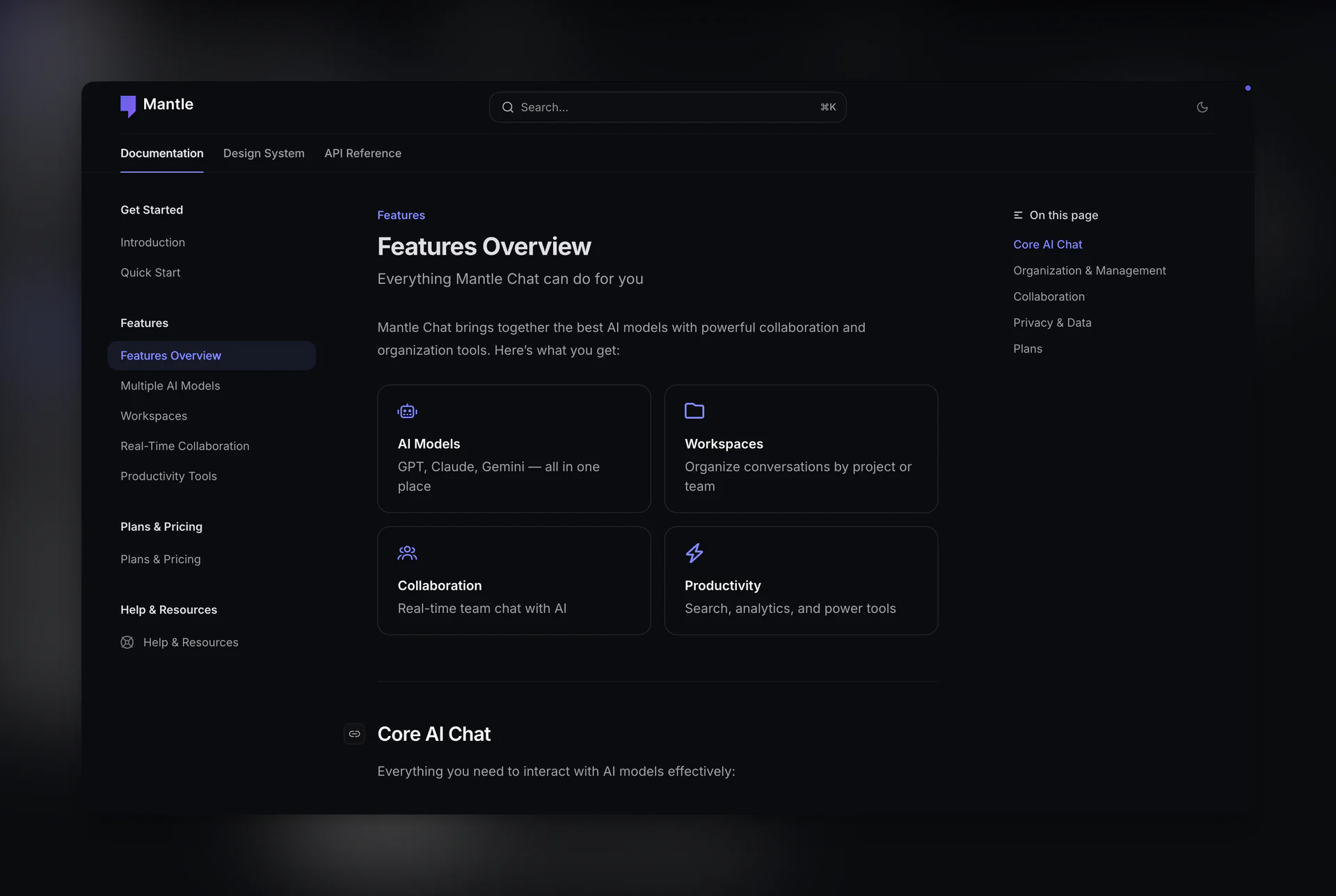
We launched our brand new Docs Portal, powered by Mintlify — a modern documentation platform that makes it easy to find what you need.
You can now access documentation directly from the Mantle Chat app via links in the header and footer, making it seamless to get help while you work.
Updated Help Center
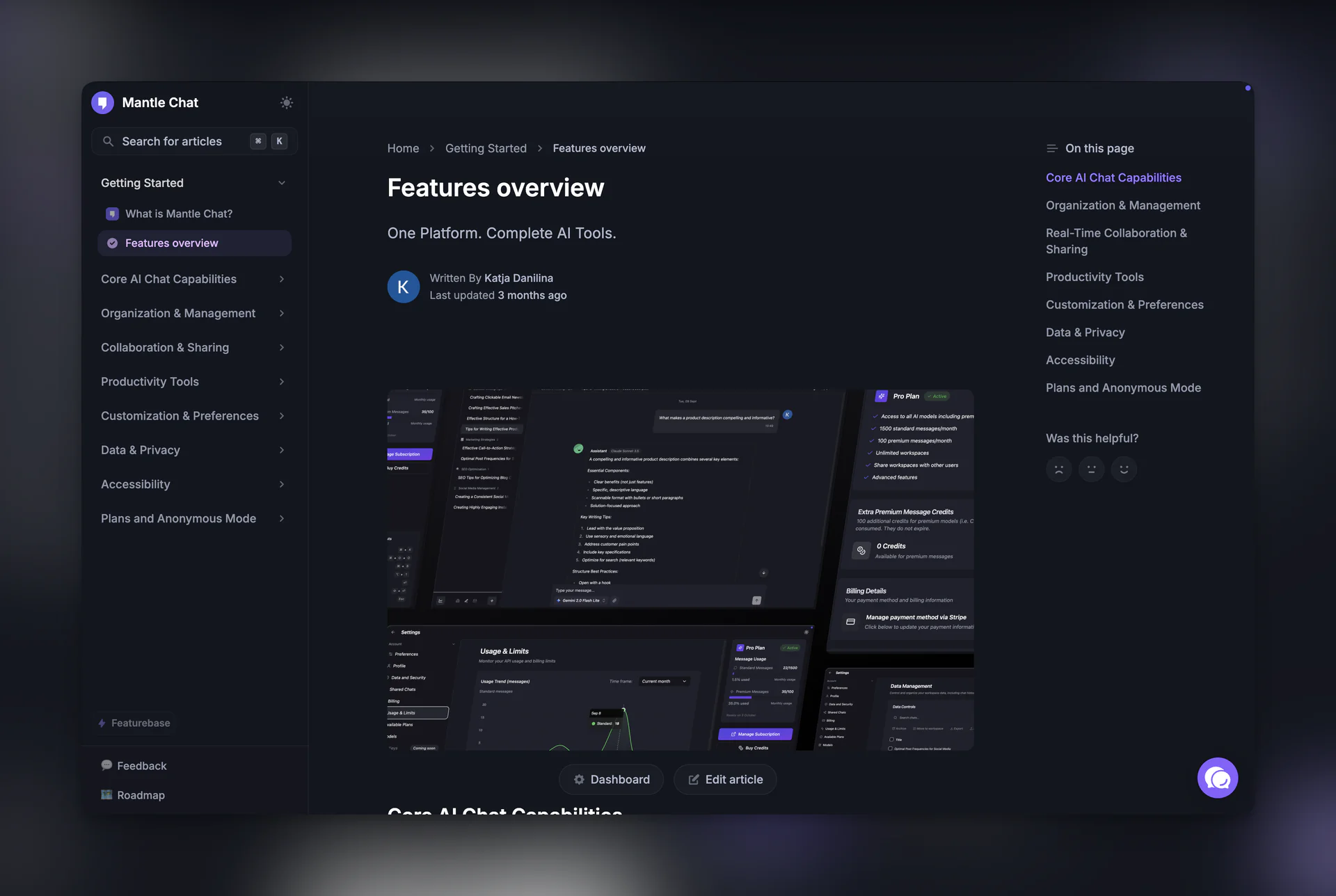
We've updated some articles in our Help Center on Featurebase and continue to work on expanding our documentation. For example, check out our updated AI-Powered Channels article covering all the new channel features.
7-Day Free Trial for Pro
Want to try Pro before committing? We've introduced a 7-day free trial on the Pro monthly plan!
- 🆓 No credit card required to start your trial
- ✨ Full access to all Pro features including premium AI models
- 🚫 No commitment — cancel anytime during the trial
This is the perfect way to experience everything Mantle Chat Pro has to offer before making a decision. Start your free trial today →
Technical Improvements
Prompt Caching for Faster Responses
We've implemented provider-agnostic prompt caching across all AI providers. Cached prompts skip redundant processing, resulting in faster response times — especially noticeable in longer conversations. This works transparently across Anthropic, OpenAI, Google, xAI, and DeepSeek models without any changes to how you use Mantle Chat.
AI Layer Refactoring
We completely refactored our AI integration layer, powered by Vercel AI SDK. We've already upgraded to AI SDK v4 (released during the holidays!), bringing improved streaming, better error handling, and a more robust foundation for future features.
- Unified provider abstraction: Single interface for OpenAI, Anthropic, Google, xAI, and DeepSeek
- Better message handling: Improved multimodal and file attachment support
- Cleaner codebase: More maintainable architecture for future model additions
Authentication Fixes
Resolved critical OAuth issues:
- Fixed Google OAuth redirect loops
- Improved session expiration handling
- Better state management during login/logout
- Refined SSR guard behavior
SEO Infrastructure
Implemented shared SEO utilities across our apps:
- Dynamic sitemap generation
- Robots.txt management
- Structured data for better search visibility
- Improved meta tags and Open Graph data
Bug Fixes
- Fixed message editing permissions in channels
- Resolved OpenAI model compatibility issues
- Fixed draft handling race conditions
- Improved thread group management
- Better error handling and logging throughout
Thank You!
This has been an incredible period of development. Every feature we ship is driven by your feedback and support.
Special thanks to:
- Everyone who tried the new AI Assistants feature
- Users who reported bugs and suggested improvements
- Our growing community across all platforms
Connect With Us
Have questions or feedback? We'd love to hear from you:
- 🔗 LinkedIn: linkedin.com/company/mantlechat
- 🌟 Peerlist: peerlist.io/katja/project/mantle-chat
- 🚀 Product Hunt: producthunt.com/products/mantle
- 🐦 X/Twitter: x.com/mantlechat
- 📸 Instagram: instagram.com/mantle.chat
- 📺 YouTube: youtube.com/@mantlechat
- 💬 Discord: discord.gg/STzq94kdDC
What's Next?
We're continuing to push forward with:
- More assistant capabilities
- Enhanced collaboration features
- Performance optimizations
Here's to an amazing 2026! 🚀
Let's build the future of AI collaboration together. 🚀
— The Mantle Chat Team